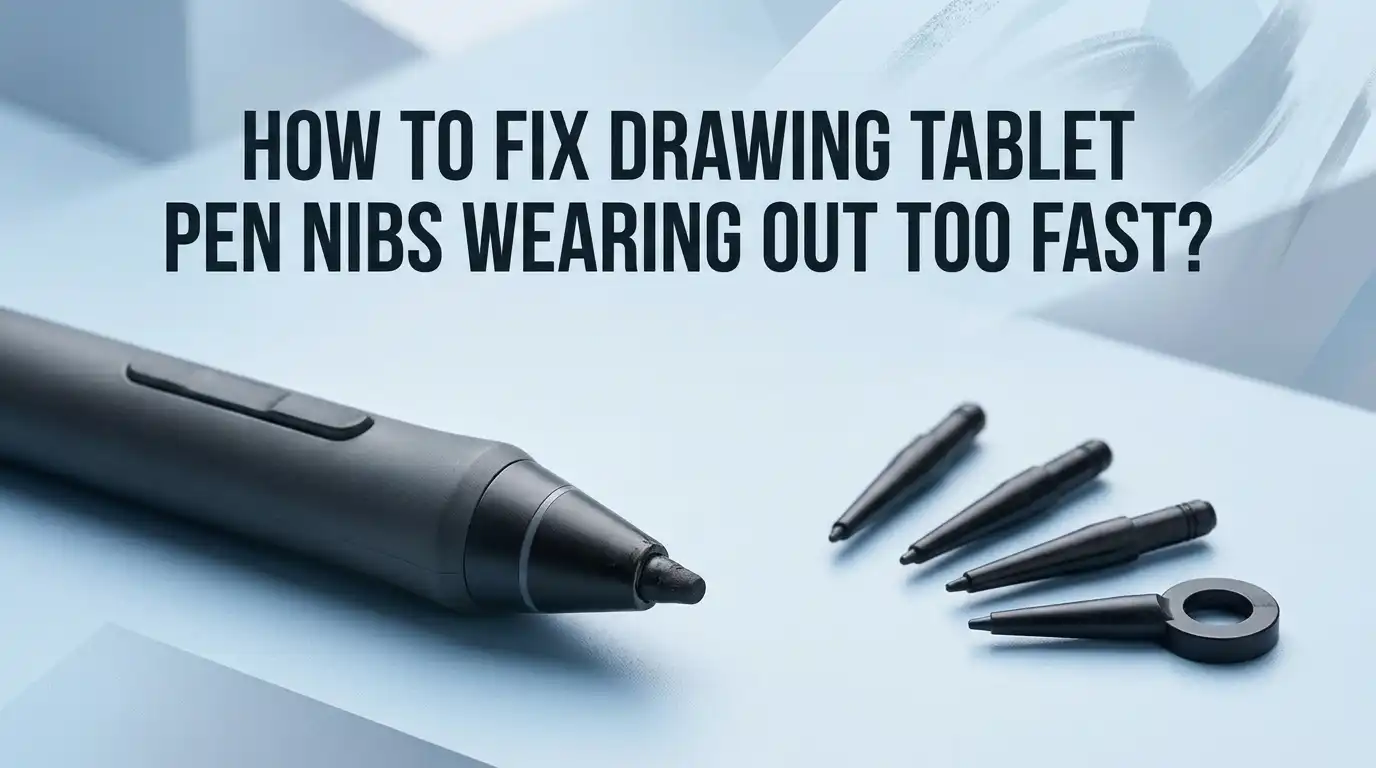
How To Fix Drawing Tablet Pen Nibs Wearing Out Too Fast?
Do your drawing tablet pen nibs wear out faster than you expect? You are not alone.
Many digital artists face this frustrating issue. One day your nib glides smoothly. The next day it feels rough and scratchy.
Nib wear is a normal part of digital art. But if it happens too fast, something needs fixing. Pressure habits and surface texture play a huge role here.
This article helps you understand why your nibs wear out quickly. We will look at the real causes behind this problem. You will also learn simple fixes that actually work.
In a Nutshell
- Check your pressure habits first. Heavy hand pressure wears down nibs much faster than light strokes. Try easing up while drawing to see immediate improvement.
- Wait for real wear signs. Only replace a nib when it shows significant wear or pivoting. Swapping nibs too early wastes them and speeds up your total nib consumption.
- Rotate your nibs regularly. Using multiple nibs in rotation spreads out wear evenly. This simple habit can double the life of your entire nib set.
- Smooth out your drawing surface. A rough tablet texture creates more friction against the nib tip. Adding a smooth overlay or cover reduces that friction instantly.
- Pick softer nib types when possible. Stroke nibs tend to glide better and cause less wear than harder alternatives. This small switch makes a big difference over time.
- Watch for beveling or pivoting. These are clear signs your nib has reached the end of its useful life. That is your real cue to replace, not minor surface scratches.
Why Drawing Tablet Nibs Wear Out So Quickly
Your drawing tablet pen nibs wear out quickly due to several interconnected factors. Understanding these reasons helps you take action to slow down the process.
Pressure is the primary culprit. Most artists apply far more pressure than necessary when drawing digitally. Your tablet detects input through pressure sensitivity, so heavy hand pressure creates unnecessary friction between the nib and the tablet surface. This constant grinding wears down the nib tip rapidly.
The texture of your tablet surface matters significantly. Rough or coarse drawing surfaces create more friction against the nib material. Each stroke generates tiny scratches and wear marks that accumulate quickly. Smoother surfaces reduce this friction considerably.
Your drawing habits affect wear rate directly. Artists who draw with quick, repetitive motions or use circular strokes wear nibs faster than those with slower, deliberate movements. The more contact time between nib and surface, the faster deterioration occurs.
Nib material composition plays a role too. Different nib types have varying hardness levels. Harder nibs resist wear longer but may feel less responsive. Softer nibs feel smoother but wear down faster under heavy pressure.
Many artists replace nibs at the first sign of minor wear. This actually accelerates overall wear consumption because you go through more nibs annually. Replacing nibs only when truly necessary extends your total nib lifespan.
Environmental factors contribute as well. Temperature and humidity changes can affect tablet performance. Dust and debris on your drawing surface increase friction during use. Regular cleaning helps maintain consistent wear patterns.
Your individual drawing style combines all these elements. Some artists naturally draw with lighter touches and see nibs last much longer. Others with heavier hands experience faster wear regardless of other factors.
The good news is that most wear factors are within your control. By adjusting pressure habits, maintaining your tablet surface, and choosing appropriate nib types, you can significantly reduce how quickly your nibs deteriorate.
How Pressure Habits Affect Nib Lifespan
Your pressure habits directly control how quickly your pen nibs wear down. When you press hard on your tablet, you create more friction between the nib and the surface. This friction accelerates wear significantly.
Most digital artists apply unnecessary pressure out of habit. You might press down thinking it helps your lines appear darker or more defined. In reality, your tablet registers pressure electronically. Heavy hand pressure does not improve line quality. It only destroys your nibs faster.
Light pressure is your best friend for nib longevity. Try drawing with the lightest touch that still registers on your tablet. You will notice your nibs last much longer. Your lines remain just as dark and responsive.
Repetitive motions also impact nib wear rates. Artists who use circular strokes or quick back and forth movements wear nibs faster than those who use flowing, deliberate strokes. The constant grinding motion against the tablet surface adds up quickly.
Your drawing style matters too. If you tend to hover over one small area repeatedly, that spot on your nib wears down unevenly. This uneven wear can cause your nib to pivot or bevel prematurely. Spread your drawing across the tablet surface instead of concentrating on one zone.
Pressure consistency is equally important. Some artists vary their pressure dramatically throughout a drawing session. This inconsistency means certain parts of your nib experience extreme wear while others remain fresh. Maintaining steady, light pressure distributes wear evenly across your entire nib tip.
Start tracking your own pressure habits today. Notice when you press hardest. Usually this happens during detailed work or when you feel frustrated. Consciously reduce pressure during these moments. Your nib replacement schedule will improve dramatically once you adjust these habits.
The Role of Tablet Surface Texture in Nib Wear
Your tablet surface texture plays a major role in how fast your pen nibs wear down. A rough or textured surface creates more friction between the nib and the tablet, which accelerates wear significantly.
Smooth surfaces reduce friction dramatically. When your tablet has a smooth drawing area, your nib glides across it with minimal resistance. This means less material gets scraped away with each stroke. Think of it like the difference between dragging your nib across sandpaper versus glass. The smoother option wins every time.
Rough tablet textures act like tiny obstacles that your nib must overcome. Each time you draw, these micro textures catch and wear against your nib tip. Over thousands of strokes, this adds up quickly. Artists using rough tablets often replace nibs two to three times faster than those with smooth surfaces.
You can modify your tablet surface to reduce wear. Adding a smooth overlay layer creates a barrier between your nib and the rough tablet underneath. A simple 2mm glass sheet placed over your drawing area can make a noticeable difference. This protective layer keeps friction low while still allowing you to see your screen clearly.
Alternatively, you can switch to a tablet cover designed with a smoother drawing texture. Many options exist that provide better nib protection than standard tablet surfaces. These covers are removable, so you can replace them when they get worn.
The key is understanding that surface texture directly controls friction levels. Lower friction means slower nib wear. Higher friction means faster nib wear. By smoothing out your drawing surface, you extend your nib lifespan significantly without changing your drawing habits or pressure style.
Monitor how your current surface feels under your pen. If it feels rough or gritty, that’s your signal that surface modification could help you save money on replacements long term.
Step-by-Step: Reducing Friction and Extending Nib Life
Reducing friction is one of the most effective ways to extend your pen nib life. Friction happens when your nib slides across your tablet surface, and lower friction means less wear over time.
The simplest approach is to change how often you replace your nibs. Many artists swap out nibs at the first tiny scratch or minor wear sign. Instead, use each nib until it shows significant wear or visible beveling. This single habit can double or triple your nib lifespan.
Rotating your nibs periodically distributes wear more evenly. Keep several nibs in rotation and switch between them during your drawing sessions. This prevents any single nib from experiencing constant friction in the same spots.
Adding a smooth surface layer between your nib and tablet dramatically reduces friction. A thin glass overlay or protective sheet creates a slicker drawing surface. Your nib glides more smoothly, which means less material gets worn away with each stroke.
Consider switching to softer nib types designed for reduced friction. Different nib materials have different friction levels, and softer options tend to wear more slowly. Experiment to find what works best for your drawing style.
Your pressure habits directly control friction levels too. Heavy pressure increases the contact force between your nib and tablet surface, which speeds up wear. Light, consistent pressure keeps friction minimal and extends nib life significantly.
Pay attention to your tablet cover or protective layer. Some covers have rougher textures that increase friction and accelerate wear. Smoother covers reduce friction naturally.
The key principle is simple: lower friction equals longer nib life. Every small change you make to reduce the contact pressure and surface roughness adds up. Start by tracking how much pressure you apply, then gradually reduce it. Monitor your nib wear patterns over time to see which friction reduction methods work best for your specific setup.
Choosing the Right Nib Type for Your Drawing Style
Different drawing styles require different nib types, and matching them correctly helps prevent premature wear. Your pen nib choice directly impacts how quickly it wears down.
Standard nibs work well for general drawing. These nibs suit most artists and offer balanced performance across different techniques. They handle pressure variation reasonably well and work on most tablet surfaces without excessive wear. Standard nibs are your default starting point.
Softer nibs reduce friction significantly. These nibs glide across your tablet surface more smoothly than harder alternatives. Softer materials compress slightly under pressure, which means less direct contact friction between the nib and your tablet. This compression also helps distribute your pressure more evenly across the nib’s tip.
Harder nibs last longer but increase friction. If you apply heavy pressure consistently, harder nibs might seem like a solution. However, harder materials create more friction during movement. This friction actually accelerates wear rates over time, making them counterintuitive for pressure users.
Consider your actual drawing technique when selecting a nib type. Do you use light, controlled strokes? Softer nibs suit this style perfectly. Do you make broad, sweeping motions? Softer nibs still reduce friction during these movements.
Specialty nibs exist for specific techniques. Some artists use nibs designed for calligraphy, sketching, or painting simulation. These specialty types have unique wear patterns based on their shape and material composition. Test different specialty nibs if your drawing style requires specific effects.
Your drawing style and pressure habits should guide your nib selection. Matching the right nib type to your technique prevents unnecessary wear. Experiment with softer options first if you notice rapid wear. Track which nib type lasts longest with your personal drawing habits. This experimentation helps you identify the ideal match for your specific workflow and pressure patterns.
Common Mistakes That Speed Up Nib Wear
Many artists accidentally wear out their nibs much faster than necessary. Understanding these common mistakes helps you keep your nibs working longer.
Replacing nibs too early is the biggest mistake people make. You might see minor surface changes and think your nib is finished. Small scratches or slight texture changes don’t mean replacement time. Only replace your nib when it shows significant wear, like visible flattening or beveling on the tip.
Applying too much pressure while drawing dramatically speeds up wear. Your nib doesn’t need heavy force to work properly. The tablet sensor picks up your input without you pressing hard. Many artists press down habitually without realizing it. Try holding your pen with a lighter grip and let the tablet do the work.
Using rough tablet surfaces creates constant friction that wears nibs quickly. Your nib slides across tiny texture bumps thousands of times during a drawing session. Each bump causes small amounts of material to wear away. Smooth surfaces reduce this friction significantly.
Neglecting nib rotation means one nib takes all the wear. Your pen has multiple nibs for a reason. Rotating between them distributes the wear load evenly. This simple practice extends the life of all your nibs combined.
Ignoring your drawing habits prevents you from making meaningful changes. Pay attention to how much pressure you use and how fast you draw. Some artists naturally wear nibs faster due to their technique. Recognizing your personal habits lets you adjust and reduce unnecessary wear.
Not protecting your tablet surface exposes your nibs to unnecessary roughness. Dust particles and scratches accumulate over time. A protective cover keeps your drawing area cleaner and smoother.
These mistakes compound over time. Fix even one of them, and you’ll notice your nibs lasting significantly longer.
Troubleshooting Signs of Advanced Nib Wear
Recognizing advanced nib wear helps you know exactly when replacement is necessary. Visible scratching or gouging on the nib tip is your clearest sign. Look closely at the nib under good lighting. If you see deep grooves or pitting in the material, the nib has reached the end of its useful life.
Uneven nib surfaces indicate serious wear too. Run your finger gently across the tip (carefully, as it may be sharp). A worn nib feels bumpy or beveled instead of smooth and rounded. This beveling happens when pressure and friction wear one side faster than the other.
Pay attention to how your pen performs on screen. If your lines suddenly feel scratchy or skip across the tablet surface, advanced wear is likely the cause. The damaged nib no longer glides smoothly. You might also notice your pen feels less responsive or requires more pressure to register strokes.
Color changes on the nib signal advanced wear as well. Many nibs have a shiny coating that wears away over time. Once that coating is completely gone and the base material shows through, replacement time has arrived.
Check your nib’s shape too. New nibs have a slightly rounded or pointed tip depending on type. Worn nibs develop flat spots or irregular shapes. This deformation prevents precise control and affects line quality significantly.
Increased resistance while drawing is another warning sign. If your nib suddenly feels like it’s dragging or requires noticeable effort to move across your tablet, internal wear has progressed far. The material has deteriorated enough to create friction problems.
Don’t wait until your nib is completely destroyed. Replace it once you notice these advanced wear signs. Continuing to use a severely worn nib can actually damage your tablet’s surface over time.
Final Thoughts
Fixing fast nib wear comes down to simple habits. You do not need to overhaul your entire setup. Small changes in pressure and surface care make a big difference over time.
Pay attention to how you draw. Light pressure always beats heavy pressure when it comes to nib longevity. Your hand habits matter more than the tablet brand or nib material.
Rotate your nibs regularly. This spreads wear across multiple tips instead of destroying one nib quickly. It is a small step that adds real value to your workflow.
Protect your tablet surface whenever possible. A smoother layer reduces friction and slows down wear naturally. This protects both your nibs and your screen.
Do not rush to replace nibs at the first sign of wear. Minor changes in shape or texture do not mean the nib is done. Wait until performance actually suffers before swapping it out.
Choosing the right nib type also plays a role. Softer nibs glide better and reduce strain on your screen. Harder nibs last longer but may increase friction if you press too hard.
Fixing nib wear is not about one big fix. It is about combining several small habits that work together. Pressure control, surface care, and smart nib choices all add up.
Every artist draws differently, so results vary from person to person. Testing different approaches helps you find what works best for your style.
Stay consistent with these habits and your nibs will last much longer. You will spend less time replacing nibs and more time creating art.
Small adjustments today can save you time and frustration later. Keep these tips in mind, and your drawing tablet setup will serve you well for a long time.
Frequently Asked Questions
How often should I replace my pen nib?
Replace your nib only when it shows significant wear. Most artists make the mistake of replacing nibs too early. Minor surface changes do not mean your nib is finished. Wait until you notice uneven surfaces, visible beveling, or a noticeable drop in drawing smoothness before replacing it.
Your replacement schedule depends entirely on your pressure habits and drawing frequency. Some users get months of use from one nib. Others need replacements sooner based on how hard they press.
Can I make my nibs last longer?
Yes. Use light pressure instead of heavy pressure. This single change extends nib life dramatically. Rotate your nibs regularly so wear spreads across multiple tips rather than destroying one nib quickly.
Protect your tablet surface too. A smoother drawing surface reduces friction and slows nib wear significantly. Adding a protective overlay or using a tablet cover with a smooth texture helps keep your nibs fresher longer.
What does advanced nib wear look like?
Advanced wear shows up as uneven nib surfaces and visible beveling on the tip. Your pen may feel scratchy or resistant while drawing. You might notice color changes on the nib itself.
When your nib performs noticeably worse on screen, that signals it needs replacement soon. Do not wait until your nib feels completely destroyed.
Does pressure really affect nib wear that much?
Absolutely. Excessive pressure while drawing is one of the fastest ways to wear out nibs. Light, controlled pressure extends nib life significantly compared to heavy handed drawing.
Most artists can improve nib longevity just by adjusting their drawing habits and becoming more aware of how much force they apply.

Hi, I’m Pearl Standen, the voice behind The Web Utility. I’m a passionate tech enthusiast who loves exploring the latest gadgets, smart devices, and electronics that make everyday life easier. Through my website, I share honest, well-researched reviews of trending Amazon products to help you make smarter buying decisions.