How to Replace a Worn-Out Thumbstick Grip on a Console Controller?
Your favorite controller feels off. The thumbstick grip looks smooth, shiny, or even split down the side. Your thumb keeps slipping during intense gaming moments.
You miss shots in shooters. You spin out in racing games. A worn thumbstick grip can ruin your gameplay and frustrate you within minutes.
This guide will walk you through every step, every method, and every common mistake. Whether you own a PS5, PS4, Xbox Series X, Xbox One, or Nintendo Switch Pro controller, the process stays mostly the same.
Let us fix that controller and get you back into the game.
Key Takeaways
- Worn thumbstick grips are common and happen because of sweat, friction, and daily wear. You do not need to throw away the controller. A simple grip swap brings it back to life.
- You have two main options, slip-on silicone or rubber covers that sit over the existing stick, or a full thumbstick cap replacement that pulls off the worn part completely. Both work well in different situations.
- Tools required are minimal. Most jobs need only your fingers, a soft cloth, and rubbing alcohol. Some advanced fixes may need a plastic pry tool or a small screwdriver.
- Cleaning the stick first matters a lot. Skipping this step causes the new grip to slip, loosen, or trap dirt under the surface.
- Silicone grips offer comfort, while plastic caps offer better precision. Pick the one that matches your play style.
- Soldering is only needed for deeper repairs like fixing the entire thumbstick module, not for grip replacement. Most users will never need this.
Why Thumbstick Grips Wear Out Faster Than You Think
Thumbstick grips wear out because of constant friction. Your thumb moves across them thousands of times during a single gaming session. The natural oils and sweat on your skin break down the rubber coating slowly. Over time, the grip becomes shiny, then smooth, and then it starts to crack or peel.
Heavy gamers usually see wear within six to twelve months. Casual players may take a few years to notice the same damage.
Hot rooms, sweaty hands, and aggressive movements speed up the process. Some controllers, like the PS5 DualSense, have softer rubber that wears faster than older models. Understanding the cause helps you pick the right replacement and make it last longer.
Signs Your Thumbstick Grip Needs Replacing
Spotting the right moment to replace your grip saves you from poor gameplay. Look for visible signs first. A shiny smooth surface is the earliest warning. You may also notice small cracks along the edge of the rubber dome.
In some cases, the rubber lifts off the plastic core, leaving a loose flap. If your thumb slides off during fast movements, the grip has lost its texture. Other signs include a sticky feel, black residue on your thumb, or rubber pieces flaking off.
Some players also feel pain in their thumb because they grip harder to stay in control. Once you see any of these signs, it is time to act before the damage spreads to the stick itself.
Tools and Materials You Will Need
You do not need a full repair kit for this job. Most users can finish the work with items already at home. Grab a soft microfiber cloth, some rubbing alcohol or isopropyl alcohol, and cotton swabs. These help you clean the thumbstick before applying anything new.
If you plan to use slip-on covers, you only need your fingers. For full cap replacement, keep a plastic pry tool or a flat plastic card nearby. A small Phillips screwdriver helps if you want to open the controller for deeper cleaning.
Avoid metal tools like knives or scissors. They can scratch the stick or damage the internal sensor. Working in a clean, well-lit area also makes the job smoother and helps you avoid losing tiny parts.
Method 1: Using Slip-On Silicone Thumbstick Covers
Slip-on silicone covers are the easiest fix. You simply stretch them over the existing worn grip. They add fresh texture, extra height, and a soft cushion for your thumb. Most covers come in packs of two to ten and fit almost every controller brand.
To install, clean the thumbstick first with alcohol and let it dry. Place the cover over the top of the stick. Stretch the edges down evenly until the cover sits flat against the base. Press the center down firmly to push out any trapped air. The whole job takes less than a minute per stick.
Pros: Cheap, quick, no tools needed, removable anytime.
Cons: Can slip off during heavy use, may feel taller than normal, some users dislike the extra bulk.
Method 2: Full Thumbstick Cap Replacement
A full cap replacement removes the worn part completely. This method works best when the rubber grip has peeled, cracked, or split open. You pull the entire thumbstick cap off the metal post and push a new one on.
Start by gripping the worn cap firmly with your fingers or a soft cloth. Pull straight up with steady force. The cap should pop off the metal stem. Clean the metal post with alcohol. Take your new cap and push it down onto the post until it clicks into place. Make sure it sits flat and level with the other stick.
Pros: Looks like a brand new controller, no extra bulk, lasts a long time.
Cons: Harder to remove, replacement caps must match your controller model, some force needed.
Method 3: Hybrid Approach with Performance Thumbsticks
Performance thumbsticks combine the best of both worlds. They replace the entire cap and often come in different heights, shapes, and surface textures. Brands like KontrolFreek and Skull & Co. make popular options.
These thumbsticks usually have a concave or domed top. Some have rubber rings, others use textured plastic. Installation works the same as a full cap replacement. Pull off the old cap, clean the post, and push the new one in place. Many gamers say taller thumbsticks improve aiming in shooters.
Pros: Better control, longer lifespan, custom feel, multiple height options.
Cons: Higher cost than basic grips, takes time to adjust to new height, may not suit every game type.
How to Clean the Thumbstick Before Replacement
Cleaning is the step most people skip, but it makes a huge difference. Dirt, oil, and sweat build up inside the base of the thumbstick. If you leave this debris there, your new grip will collect the same gunk and wear out faster.
Dip a cotton swab in rubbing alcohol. Gently rub around the base of the stick where it meets the controller body. Use a dry microfiber cloth to wipe the top and sides clean.
Avoid soaking the area, since liquid can seep into the sensor below. Let the stick air dry for at least five minutes before installing the new grip. This small step helps your new grip stick better and last longer.
Step-by-Step Guide for PS5 and PS4 Controllers
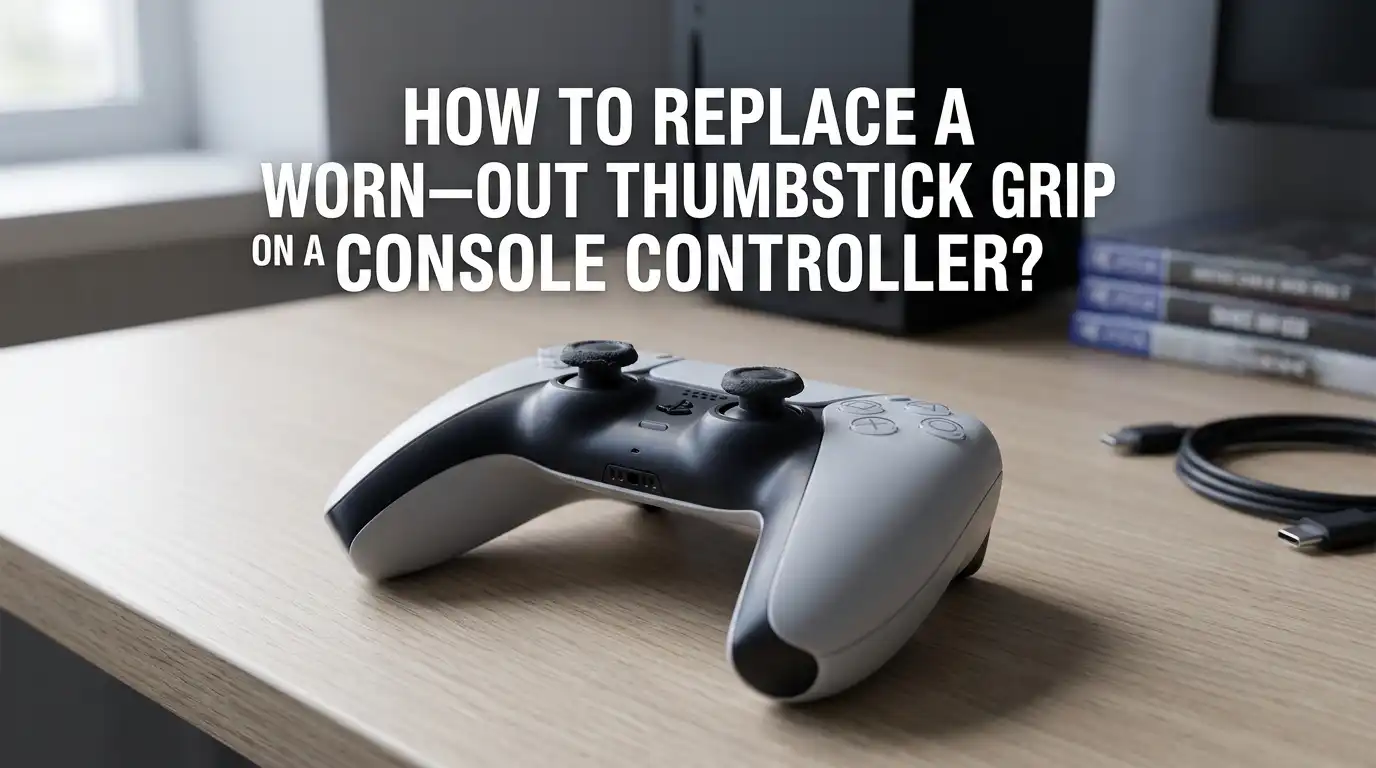
PlayStation controllers have a unique thumbstick design. The DualShock 4 and DualSense both use a domed rubber cap with a concave top. The cap pulls off cleanly with steady upward force.
Hold the controller in one hand. Grip the worn cap with your thumb and index finger. Pull straight up without twisting. The cap will pop off. Clean the exposed plastic post with a cotton swab.
Line up the new cap so the concave dip faces upward. Press down firmly until you feel it click into place. Test the stick by rotating it in all directions. If it feels loose, push it down again until it sits firmly.
Step-by-Step Guide for Xbox Series X, S, and Xbox One Controllers
Xbox controllers use a slightly different cap shape. The thumbsticks have a wider concave top with raised edges. The removal process is the same, but the caps tend to grip the post more tightly.
Use a soft cloth to get a better grip on the worn cap. Pull straight up with steady pressure. You may need to wiggle it slightly side to side. Avoid using metal tools, since the Xbox stick post is more delicate than the PlayStation version.
Once removed, clean the post and push the new cap on. Make sure it lines up evenly. Test the controller in a game menu to check for any drift or stiffness before closing the project.
Step-by-Step Guide for Nintendo Switch Pro Controllers
Switch Pro Controllers have smaller and shorter thumbsticks. The caps are softer and easier to remove than Xbox or PlayStation versions. This makes grip replacement quick and beginner friendly.
Pinch the cap with your fingers and pull straight up. The cap will lift off without much effort. Clean the post with a dry cloth or a lightly dampened cotton swab.
Avoid using too much alcohol, since the Switch stick housing is more open than other controllers. Place the new cap on top and press down evenly. Test the stick by moving it in circles. The Joy-Con thumbsticks use a similar process, but their caps are even smaller and need extra care.
Common Mistakes to Avoid During Replacement
Many users damage their controller during a simple grip swap. The most common mistake is pulling the cap off at an angle. This can bend the metal post inside and cause permanent drift.
Another mistake is using metal tools to pry the cap loose. These tools scratch the plastic and can crack the housing. Some people also forget to clean the area first, which leads to poor grip and quick wear.
Avoid using glue to hold the new grip in place. Glue can seep into the sensor and ruin the stick. Lastly, do not force a cap that does not fit your controller model. Always match the replacement to your specific console.
How to Make Your New Thumbstick Grips Last Longer
A new grip will only last as long as you take care of it. Wash your hands before gaming to remove oils and lotion. This keeps sweat and dirt off the rubber surface.
Wipe your controller with a dry microfiber cloth after each session. Avoid eating greasy food while playing, since oils break down rubber quickly. Store your controller in a cool, dry place out of direct sunlight. Heat speeds up rubber decay.
If you sweat a lot, consider keeping a small towel nearby. Some players also rotate between two controllers to spread the wear evenly. With proper care, a good grip can last over a year, even with daily use.
When to Replace the Entire Thumbstick Module Instead
Sometimes a grip swap will not fix the problem. If your stick drifts on its own, feels loose, or makes clicking sounds, the issue runs deeper. The internal sensor or potentiometer may be worn out.
In these cases, you need to replace the whole thumbstick module. This job requires opening the controller, desoldering the old module, and soldering in a new one. It takes about thirty minutes for someone with soldering skills.
If you are not comfortable with soldering, a local repair shop can do it for a small fee. Hall effect thumbsticks are a newer upgrade option. They use magnets instead of physical contact and almost never drift.
FAQs
How much does it cost to replace a thumbstick grip?
A pack of silicone covers usually costs between three and ten dollars. Full replacement caps range from five to fifteen dollars per pair. Premium performance thumbsticks cost more but offer better quality and a longer lifespan.
Can I use any thumbstick grip on any controller?
No. Each controller brand has a slightly different cap size and shape. Always check that the grip or cap matches your exact model. Using the wrong one can cause poor fit, slipping, or even damage to the stick post.
Will replacing the grip fix stick drift?
No. Stick drift comes from worn sensors inside the controller, not from the rubber grip on top. Replacing the grip only fixes the surface feel. For drift, you need to replace the full thumbstick module or send the controller for repair.
How often should I replace my thumbstick grips?
Most gamers replace their grips every six to twelve months. Casual users may go longer. Watch for signs of wear like shine, cracks, or peeling. Replace them as soon as the surface feels smooth and slippery.
Can I clean my old thumbsticks instead of replacing them?
Yes, but only if the rubber is still intact. Use rubbing alcohol and a microfiber cloth to remove dirt and oil. If the rubber is cracked, peeling, or shiny, cleaning will not help. You will need to replace it.
Are silicone covers better than full cap replacements?
It depends on your needs. Silicone covers are cheaper and easier to install. Full cap replacements look cleaner and last longer. Pick covers if you want a quick fix. Pick full caps if you want a permanent solution.
Do I need to open my controller to replace the grip?
No. You can replace both slip-on covers and full caps without opening the controller. Opening is only needed for deeper repairs like fixing the internal thumbstick module or cleaning dust from inside the housing.

Hi, I’m Pearl Standen, the voice behind The Web Utility. I’m a passionate tech enthusiast who loves exploring the latest gadgets, smart devices, and electronics that make everyday life easier. Through my website, I share honest, well-researched reviews of trending Amazon products to help you make smarter buying decisions.