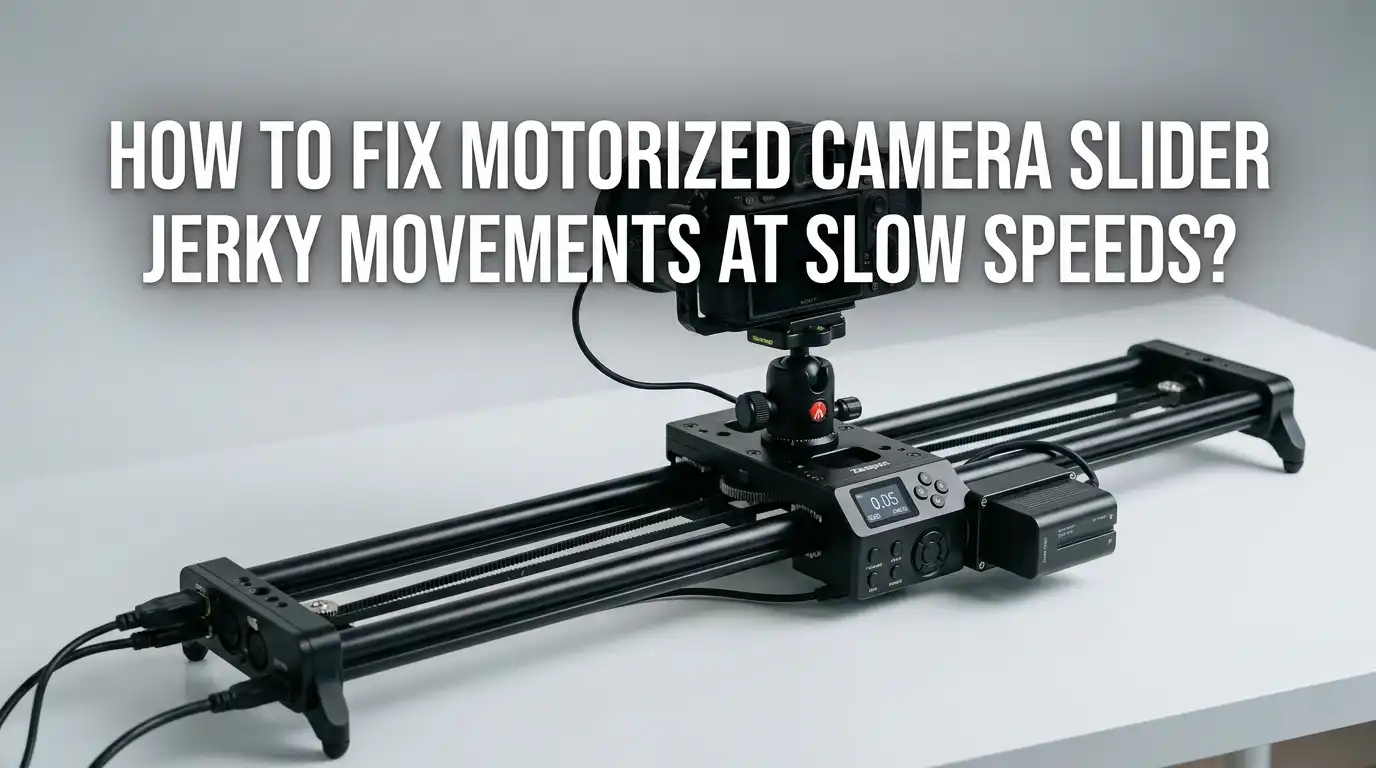
How To Fix Motorized Camera Slider Jerky Movements At Slow Speeds?
You set up your motorized camera slider for a smooth, cinematic shot. You press play. The camera crawls forward, but instead of gliding, it stutters, vibrates, and jerks.
Your beautiful slow reveal turns into a shaky mess. Sound familiar? You are not alone. Jerky movement at slow speeds is one of the most common problems slider owners face, and it ruins otherwise perfect footage.
The good news is that almost every cause has a fix. The jerkiness usually comes from a small number of culprits: the motor, the driver settings, the rail, the belt, the load, or even your camera settings.
In a Nutshell:
- Slow speed jerk is usually mechanical or electrical, not magic. The most frequent causes are low motor current, poor microstepping, belt tension problems, and dirty rails. Start your checks here.
- Microstepping is your best friend at slow speeds. Increasing microstepping (for example from full step to 1/16 or 1/32) divides each step into smaller moves. This smooths motion dramatically and removes the choppy feel.
- Clean and lubricate your rails first. Dirt, grit, and dry bearings cause drag and stutter. A quick cleaning with isopropyl alcohol often fixes the problem in minutes for free.
- Motor resonance hits hardest at low speeds. Steppers naturally vibrate between roughly 2 and 4 revolutions per second. Adding a mechanical damper or adjusting acceleration tames this.
- Your camera settings matter too. A shutter speed that is too fast removes motion blur and makes footage look jerky even when the slider runs smoothly. Follow the 180 degree shutter rule.
- Balance and payload affect smoothness. An unbalanced or overloaded slider strains the motor. Proper balance helps the motor pull steadily without skipping.
Why Motorized Sliders Get Jerky At Slow Speeds
Let me explain the root cause first. A motorized slider almost always uses a stepper motor. A stepper motor does not spin smoothly like a normal motor. Instead, it moves in tiny steps, one click at a time. At fast speeds, these steps blend together and you cannot see them.
At slow speeds, you can see each individual step. This creates the stutter and vibration you notice. The motor also fights something called resonance, a natural vibration that peaks at low speeds.
On top of this, mechanical drag from the rail and belt adds extra jerk. So the problem is not one single thing. It is a mix of how stepper motors work and how your slider is built and maintained. Understanding this helps you target the right fix instead of guessing.
Check And Adjust Your Microstepping Settings
Microstepping is the single most effective fix for slow speed jerk. Your stepper driver divides each full motor step into smaller fractions. Full step gives you choppy motion. 1/16 or 1/32 microstepping gives you smooth, fluid motion at crawl speeds.
To adjust this, open your controller settings or check the driver board. Many sliders let you change microstepping in the app or with small switches called DIP switches. Set the highest microstepping your driver supports for the smoothest results.
Pros: This fix often removes jerk completely. It costs nothing if your hardware already supports it. The change takes only minutes.
Cons: Higher microstepping reduces holding torque slightly. Very cheap drivers may not handle small microsteps well and can stutter even more. Some sliders lock the setting and do not allow changes, which limits this option for budget models.
Increase The Motor Current On Your Driver
A weak motor is a jerky motor. If your stepper does not get enough current, it lacks the torque to move smoothly and skips steps at low speed. This shows up as sudden jumps followed by pauses. Raising the current limit on your driver often solves this instantly.
Most drivers have a small adjustment screw called a Vref potentiometer. Turn it slowly with a tiny screwdriver while measuring the voltage. Raise the current in small steps until the motion smooths out. Always check your motor’s rated current first so you do not exceed it.
Pros: This fix gives the motor the power it needs and stops step skipping. It works well with high microstepping.
Cons: Too much current overheats the motor and driver. You need a multimeter and some patience. On sealed consumer sliders, you may not be able to reach the driver at all, which rules this method out.
Clean Your Slider Rails Thoroughly
Dirt is a silent killer of smooth motion. Dust, sand, fingerprints, and old grease build up on your rails and wheels. This creates uneven drag, and uneven drag causes jerk. A clean rail lets the carriage glide without resistance.
Wipe the rails and wheels with a soft, lint free cloth dipped in isopropyl alcohol. Alcohol cuts through grime without leaving residue. Roll the carriage back and forth and clean the wheels as they turn. Pay close attention to the grooves where grit hides.
Pros: This costs almost nothing and takes only a few minutes. It often fixes jerk that seemed like a serious motor problem. You can do it before every shoot.
Cons: Cleaning alone does not fix electrical or belt issues. If your bearings are worn, cleaning only helps temporarily. You must avoid harsh solvents that can damage anodized rail coatings or plastic parts.
Lubricate The Moving Parts Correctly
After cleaning, lubrication keeps things smooth. The right lubricant reduces friction so the motor works less and moves evenly. The wrong lubricant makes things worse. Avoid thick, sticky oils that attract dust and gum up the rail.
Use a dry lube such as a silicone or PTFE spray for most sliders. Dry lubes leave a slick film without grabbing dirt. For bearing based rails, a light machine oil applied with a cotton swab works well. Apply a thin layer, then wipe off any excess.
Pros: Proper lubrication cuts friction and noise. It extends the life of your bearings and wheels. Dry lubes stay clean for a long time.
Cons: Too much lube attracts grime and causes slipping. Oil based products can drip onto your gear or floor. You must reapply lube periodically, especially after outdoor shoots in dust or sand.
Adjust The Belt Tension On Your Slider
Many motorized sliders use a belt to drive the carriage. If that belt is too loose, it skips and lurches. If it is too tight, it strains the motor and adds drag. Correct belt tension gives you steady, even motion.
Find the tensioning screw or mechanism on your slider. Adjust it slowly while testing the motion. The belt should feel firm but not stretched tight. A good test is to pluck it like a guitar string. It should give a low, solid note, not a loose flop or a high squeal.
Pros: This fix removes lurching and skipping caused by belt slack. It is usually quick and needs no special tools beyond a hex key.
Cons: Over tightening wears out the belt and bearings faster. Finding the perfect tension takes trial and error. Old or stretched belts may need full replacement, which costs money and time.
Tackle Stepper Motor Resonance
Resonance is a tricky cause of jerk. Every stepper motor has a natural vibration frequency. This vibration peaks between roughly 2 and 4 revolutions per second, which is exactly the slow speed range you use for cinematic moves. When your slider hits this zone, it shakes and stutters.
You can fight resonance in several ways. Adding a mechanical damper to the motor shaft absorbs vibration. Changing your exact speed slightly can move you out of the resonance zone. Higher microstepping also reduces resonance because the steps are smaller and gentler.
Pros: A damper greatly reduces vibration and works at all speeds. Speed adjustments cost nothing and take seconds to try.
Cons: Dampers add weight and cost, and not all motors have a rear shaft to mount one. Avoiding certain speeds limits your creative options. Resonance can be stubborn and may need several fixes combined to solve fully.
Balance Your Camera Load Properly
An unbalanced load makes the motor fight gravity. If your camera sits too far to one side, the motor pulls harder going one direction and gets pushed the other way. This uneven strain causes jerky, inconsistent motion. The problem gets worse on tilted or vertical setups.
Center your camera over the carriage so the weight sits evenly. Use the mounting plate to slide the camera until it balances. On angled shots, the load fights gravity even more, so balance becomes critical. A well balanced rig lets the motor pull with steady, consistent effort.
Pros: Good balance reduces motor strain and smooths motion. It also makes manual moves easier and protects your motor from wear.
Cons: Perfect balance takes time to dial in, especially with heavy lenses. Some sliders have limited adjustment range. Adding counterweights to balance heavy rigs increases the total load, which can strain a small motor.
Reduce Or Manage Your Payload Weight
Every motor has a weight limit. When you load your slider beyond its comfortable range, the motor struggles and stutters at slow speeds. Heavy cameras and long lenses are common causes of slow speed jerk. The motor simply cannot move that much mass smoothly with fine control.
Check your slider’s rated payload and stay well under it. If your camera is too heavy, switch to a lighter body or lens for slider shots. Remove unnecessary accessories like external monitors or large rigs during the move. A lighter load lets the motor move with precision.
Pros: A lighter payload smooths motion and reduces wear on your motor and belt. It also makes setup faster and safer.
Cons: You may need to strip gear you wanted to use. Lighter cameras sometimes mean lower image quality for your project. This fix does not help if your slider is already lightly loaded but still jerky.
Slow Down Your Acceleration And Ramping Settings
Sudden starts and stops cause visible jerk. If your slider jumps straight to speed, the motor lurches. Smooth acceleration, also called ramping, lets the motor build up gradually. This removes the sharp jolt at the start and end of each move.
Open your controller app or settings menu and look for acceleration or ramp options. Set a long, gentle ramp time. The carriage should ease into motion, hold a steady pace, then ease to a stop. Many modern sliders include this feature, sometimes called ease in and ease out.
Pros: Smooth ramping produces professional, cinematic moves with no jolts. It reduces strain on the motor at the moment of starting. The effect looks polished on screen.
Cons: Not all sliders offer acceleration control, especially basic models. Very long ramps eat into your usable rail length. Setting ramps takes a few test runs to get the timing right for each shot.
Fix Your Camera Settings To Match The Motion
Sometimes the slider is fine, but your footage still looks jerky. The cause is your camera settings, not the hardware. A shutter speed that is too fast removes natural motion blur and makes every move look choppy. This is a frame issue, not a motor issue.
Follow the 180 degree shutter rule. Set your shutter speed to double your frame rate. At 24 frames per second, use 1/48 or the nearest 1/50. This adds the right amount of motion blur and makes slow moves look smooth and cinematic. Avoid very high shutter speeds for moving shots.
Pros: This fix costs nothing and works instantly. It improves the look of all your motion shots, not just slider moves.
Cons: Lower shutter speeds let in more light, so you may need an ND filter outdoors. The rule is a guideline, not a law, and some looks call for breaking it. This fix only helps if your hardware is already moving smoothly.
Inspect And Replace Worn Bearings Or Wheels
Worn parts cause jerk that cleaning cannot fix. Over time, bearings develop flat spots and wheels wear unevenly. This creates a bumpy ride no matter how clean or lubricated the rail is. If you feel grinding or hear roughness, your bearings may be the problem.
Roll the carriage slowly by hand with the motor off. Feel for bumps, catches, or grinding spots. Listen for rough noises. If you find them, the bearings or wheels likely need replacement. Many sliders use standard bearing sizes that you can swap yourself with basic tools.
Pros: New bearings restore smooth motion completely. The repair often costs little compared to a new slider. It gives old gear a fresh life.
Cons: Some sliders use proprietary parts that are hard to find. The repair takes mechanical skill and patience. Diagnosing worn bearings can be tricky if the rail also has other issues hiding the symptom.
Upgrade Your Stepper Driver For Smoother Control
If you have tried everything and still see jerk, your driver may be the limit. Cheap drivers produce rough motion because they cannot match current between coils or support fine microstepping. A quality driver smooths everything out at the electrical level.
Modern drivers use advanced control modes that reduce noise and vibration. They handle high microstepping cleanly and match coil current precisely. Upgrading the driver board, if your slider allows it, can transform a stuttering motor into a silent, smooth one. This is an advanced fix for those comfortable with electronics.
Pros: A better driver delivers the smoothest possible motion and quiet operation. It supports fine microstepping that budget boards cannot. The improvement is often dramatic.
Cons: This requires technical skill and may void your warranty. Not all sliders allow driver swaps. The cost and effort make this a last resort rather than a first fix.
Combine Fixes For The Best Results
No single fix solves every case. The smartest approach is to layer several fixes together. Start with the free and easy ones, then move to the technical ones if needed. This saves time and money while solving the problem completely.
Begin by cleaning and lubricating the rail. Then check belt tension and balance your camera. Next, increase microstepping and adjust motor current. Finally, set smooth acceleration and correct your shutter speed. If jerk remains, inspect bearings and consider a driver upgrade. Working through this order catches most problems early. By combining mechanical, electrical, and camera fixes, you give your slider the best chance to move like glass on every shot.
Frequently Asked Questions
Why does my camera slider only get jerky at slow speeds and not fast ones?
Stepper motors move in tiny steps. At fast speeds, these steps blend together and look smooth. At slow speeds, you see each step, plus motor resonance peaks in the slow range. This is why jerk shows up only when the slider crawls.
Does higher microstepping reduce slider torque?
Yes, but only a little. Higher microstepping divides each step into smaller moves, which smooths motion. It does lower holding torque slightly. For most camera slider loads, the smoother motion is worth the small torque trade off, so it is usually a good choice.
What lubricant should I use on my slider rails?
Use a dry lube such as a silicone or PTFE spray for most rails. Dry lubes leave a slick film without attracting dust. For bearing based rails, a light machine oil applied sparingly works well. Avoid thick, sticky oils that grab dirt and gum up the motion.
Can my camera settings make smooth slider motion look jerky?
Yes. A shutter speed that is too fast removes natural motion blur. This makes even perfectly smooth slider moves look choppy on screen. Follow the 180 degree shutter rule by setting your shutter to roughly double your frame rate to fix this.
How tight should the slider belt be?
The belt should feel firm but not stretched tight. If you pluck it like a guitar string, it should give a low, solid note. A loose belt skips and lurches. A belt that is too tight strains the motor and wears parts out faster.
Is it worth fixing an old slider or should I replace it?
It depends on the cause. Cleaning, lubrication, belt tension, and balance fixes cost almost nothing and often solve the problem. Bearing replacement and driver upgrades cost more but still beat buying new. Try the simple fixes first before deciding to replace the whole slider.
Why does my slider stutter more on tilted or vertical shots?
On angled setups, the motor fights gravity. An unbalanced load strains the motor even more, which causes skipping and jerk. Balance your camera carefully and make sure your payload stays within the motor’s limit to keep tilted moves smooth.

Hi, I’m Pearl Standen, the voice behind The Web Utility. I’m a passionate tech enthusiast who loves exploring the latest gadgets, smart devices, and electronics that make everyday life easier. Through my website, I share honest, well-researched reviews of trending Amazon products to help you make smarter buying decisions.