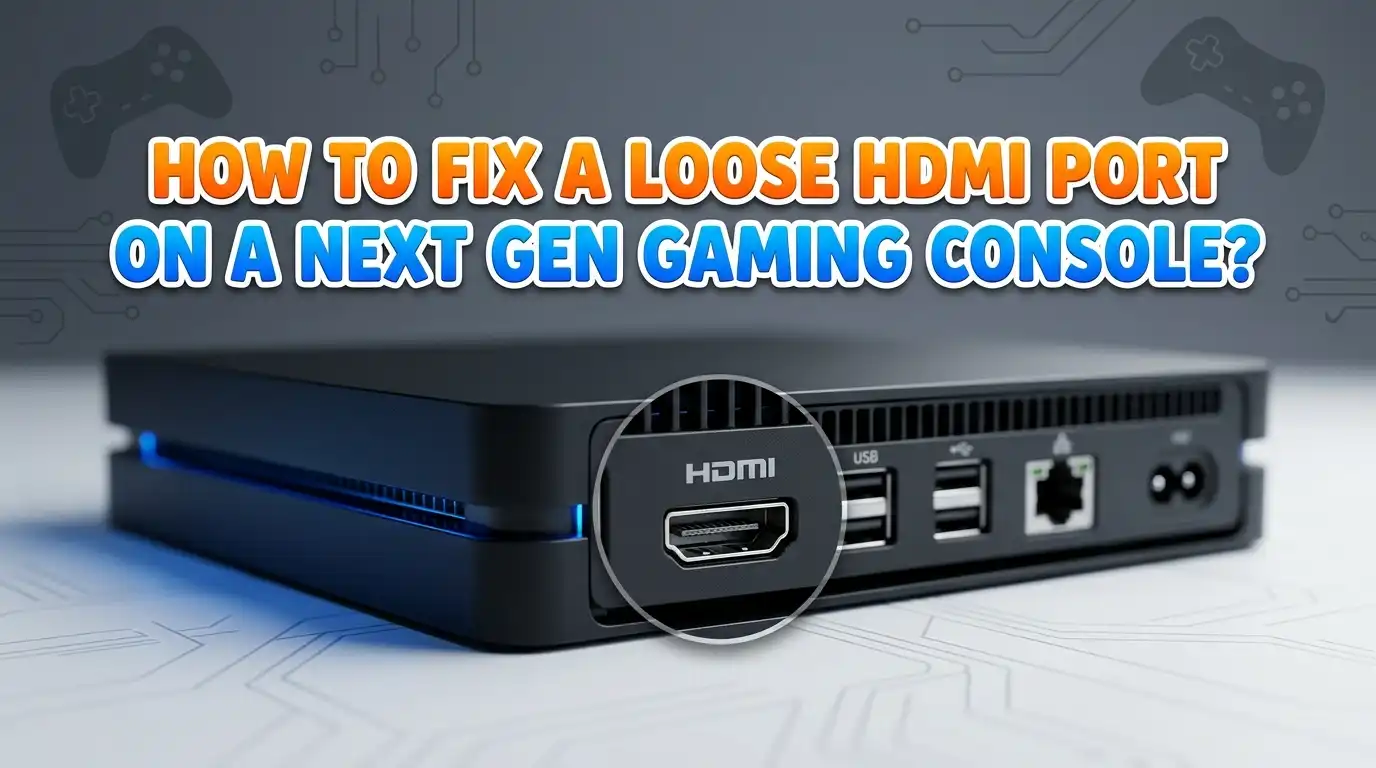
How to Fix a Loose HDMI Port on a Next Gen Gaming Console?
Your gaming session just got ruined by a flickering screen. You wiggle the HDMI cable, and suddenly the picture comes back.
A loose HDMI port on your PS5 or Xbox Series X feels frustrating, especially after spending hundreds on the console. The good news is that you can fix this issue with the right steps.
This guide walks you through every fix, from quick at home tweaks to full port replacement. You will learn the warning signs, the tools you need, and the safest path to a working console. Let’s get your gaming setup back to normal without buying a new system.
Key Takeaways
- A loose HDMI port often shows up as flickering screens, no signal errors, or a wobbly cable connection that needs constant adjustment. Spotting these signs early can save your console from worse damage later.
- Most loose HDMI ports happen because of cable strain, accidental knocks, or moving the console with the cable still plugged in. Prevention starts with how you handle your setup every day.
- DIY fixes like cleaning, cable swaps, and using a female to female adapter work for mild looseness, but a fully broken port needs soldering work. Pick the method that matches your comfort level.
- Professional repair costs between 100 and 180 dollars in most regions, which is far cheaper than buying a new console. Many local shops finish the job in one or two days.
- Replacing the HDMI port yourself requires a hot air rework station, flux, and steady hands. One wrong move can lift a trace and turn a fixable console into a paperweight.
- Manufacturer warranty may still cover the repair if your console is less than two years old, so always check that option first before opening anything up.
What a Loose HDMI Port Actually Means
A loose HDMI port means the connector inside your console no longer holds the cable tightly. The metal shell of the port may wiggle, or the solder joints under the port may have cracked. Both problems lead to the same headache: an unstable video signal.
Sometimes the port is only slightly loose, and the cable still works if you do not bump it. Other times, the port leans sideways, and the cable falls out on its own.
The deeper the damage, the harder it gets to repair without specialized tools. Knowing the level of looseness helps you choose the right fix before you spend money or open the console.
Common Signs Your HDMI Port Is Failing
You should watch for clear symptoms before you blame the port. A flickering screen during gameplay is the most common red flag. You may also see random black flashes, pixelated images, or sudden no signal messages on your TV.
Another sign is when you must hold the cable at an angle to get a picture. If wiggling the cable changes the display, the port is almost certainly the problem.
Audio dropouts during cutscenes also point to a weak HDMI link. Finally, look for bent pins inside the port or a tilted metal frame. These visual clues confirm physical damage and rule out cable or TV faults.
Top Causes of HDMI Port Damage on PS5 and Xbox Series X
Most HDMI port failures come from everyday mistakes. Moving the console while the cable is still plugged in puts huge stress on the solder joints. Pulling the cable by the wire instead of the plug also bends the port over time.
Cheap or stiff HDMI cables add extra weight that the port was never built to hold. Pets, kids, and tripping over cords near the entertainment center cause sudden jerks that snap the port loose.
Dust buildup inside the port can also weaken the spring contacts. Heat from poor ventilation makes the solder brittle, which speeds up cracks. Knowing these causes helps you avoid repeating the same mistake after a repair.
Step One: Check the Cable Before Blaming the Port
Always test the cable first. A bad HDMI cable mimics a loose port almost perfectly. Swap your current cable with a known good one and plug it in firmly. If the issue goes away, you just saved yourself a repair bill.
Try a different HDMI port on your TV too, since TV ports can also fail. Bend the cable gently along its length to check for internal breaks. Use a high quality certified HDMI 2.1 cable for next gen consoles to get full 4K and 120Hz support.
Pros: Cheap, takes five minutes, and rules out the easiest cause. Cons: Will not fix an actual port problem, and a wrong cable can still hide a deeper console fault.
Step Two: Clean the HDMI Port Carefully
Dust and lint inside the port often cause poor contact. A clean port can suddenly feel tight again. Power off your console and unplug everything before you start. Use a flashlight to look inside the port for debris or bent pins.
Spray a short burst of compressed air into the port from a safe distance. Never stick metal objects inside, since you can short the pins and kill the motherboard. A soft wooden toothpick can gently push out stubborn lint. Let the port sit for a few minutes before plugging the cable back in.
Pros: Free, safe, and surprisingly effective for mild looseness. Cons: Does nothing for cracked solder joints or bent metal frames inside the port.
Step Three: Use a Female to Female HDMI Adapter
This trick saves many consoles from full repair. A female to female HDMI adapter, also called a coupler, lets you plug a short HDMI cable into the console and connect the longer cable to the adapter. The console port now holds a tiny cable that barely moves, while the adapter takes all the stress.
You can also use an HDMI pigtail, which is a short flexible extension. This setup protects the original port from any future tugs or knocks. Tape the short cable in place if needed.
Pros: Cheap, no opening of the console, and prevents further damage. Cons: Adds a small bulge behind the console, and may cause signal issues at high refresh rates if the adapter is low quality.
Step Four: Try Gentle Port Realignment
If the metal shell of the port leans sideways, you can sometimes bend it back. Use a pair of plastic tweezers or a wooden pick. Apply very light pressure on the outside frame to straighten it. Do not touch the pins inside.
Check the alignment with a flashlight after each small adjustment. Stop the moment the cable fits snugly again. This trick works only when the port frame is bent but the solder underneath still holds. Forcing a badly damaged port will rip the pads off the board.
Pros: Free, quick, and avoids opening the console. Cons: High risk of making the damage worse, and useless when the solder joints have cracked underneath the port.
Step Five: Check Your Warranty First
Before you grab a soldering iron, look up your console warranty. Sony covers the PS5 for one year in most regions, and Microsoft covers the Xbox Series X for the same period. Some retailers offer extended plans that cover physical damage.
Call the support line and describe the issue honestly. Opening the console yourself voids the warranty in most cases, so check this step before any DIY work. If you bought the console with a credit card, your card may add extra warranty months. A free factory repair is always the smartest first choice when you qualify.
Pros: Free or low cost repair done by certified technicians. Cons: May take two to four weeks, and accidental damage is often excluded from coverage.
Step Six: Find a Professional Repair Shop
If the warranty has expired, a local repair shop is your safest path. Most shops charge between 100 and 180 dollars for a full HDMI port replacement on a PS5 or Xbox Series X. They use hot air rework stations and proper replacement ports.
Look for shops with strong reviews and a warranty on their work. Ask if they offer free diagnostics before you commit. Some chains like uBreakiFix handle console repairs in many cities. Independent console specialists often charge less and finish faster.
Pros: Reliable fix, often done in one or two days, and comes with a repair warranty. Cons: Costs more than DIY, and you must trust a stranger with your console for a short time.
Step Seven: Attempt a DIY HDMI Port Replacement
This step is only for people with soldering experience. You will need a hot air rework station, lead free solder, flux paste, tweezers, and a replacement HDMI port that matches your console model. The PS5 port is harder to replace than the Xbox Series X port because the PS5 has a denser board layout.
Watch a full disassembly video for your exact model first. Remove the motherboard carefully, desolder the old port using hot air, clean the pads, then place the new port and reflow. Test the console before reassembly.
Pros: Cheapest option if you already own the tools, and a great learning project. Cons: Very high risk of lifting pads, killing the board, or voiding any remaining warranty. One mistake can destroy the entire console.
Step Eight: Prevent Future HDMI Port Damage
Once your console works again, build better habits. Always unplug the HDMI cable before moving the console, even just a few inches. Pull the plug, never the wire. Place the console where pets and kids cannot trip the cable.
Use a flexible, lightweight HDMI cable rated for HDMI 2.1. Keep the cable slack so it does not pull down on the port. Leave a small loop of slack near the console as a safety buffer. Consider keeping the female to female adapter in place as a permanent shield. Dust the back of the console every few weeks to stop debris buildup.
When Replacement Is Cheaper Than Repair
Sometimes a repair just is not worth it. If your console is more than four years old and has other issues, a new or refurbished unit may cost about the same as a port replacement. Compare the repair quote to the price of a refurbished model from the official store.
Trade in programs from Sony, Microsoft, or local game stores can lower your upgrade cost. Selling your broken console for parts is another option that brings in some cash.
Pros: You get a fresh console with a new warranty and no other lingering problems. Cons: Higher upfront cost, and you lose any custom storage or saved data unless you back it up first.
Final Thoughts on Fixing a Loose HDMI Port
A loose HDMI port feels like a disaster, but it rarely means your console is dead. Start with simple fixes like cable swaps, port cleaning, and a female to female adapter. Move to professional repair if the port is truly broken.
DIY soldering should be your last resort, only if you have the skills and tools. Most of all, change the way you handle cables to avoid a repeat problem. With the right care, your PS5 or Xbox Series X can keep running smoothly for many more years of gaming.
FAQs
Can I still use my console with a loose HDMI port?
You can keep using it for short sessions, but the damage will only get worse over time. Bent pins can short the motherboard and cause permanent failure. Fix the issue early to avoid a much bigger repair bill later.
How much does a professional HDMI port repair cost?
Most shops charge between 100 and 180 dollars for a PS5 or Xbox Series X port replacement. Prices vary by location, parts availability, and shop reputation. Always ask for a written quote and a repair warranty before you hand over your console.
Will Sony or Microsoft repair my HDMI port?
Yes, both offer paid repair services even after the warranty ends. Sony often charges around 150 dollars for a PS5 out of warranty repair, and Microsoft has similar pricing for the Xbox Series X. Shipping times can stretch to several weeks.
Is it safe to use an HDMI extender or adapter long term?
Yes, a good quality female to female adapter or short pigtail is safe for daily use. Just make sure it supports HDMI 2.1 if you play in 4K at 120Hz. Cheap adapters can cause signal dropouts or limit your console’s full output.
Can a loose HDMI port damage my TV?
In most cases, no. The TV side stays safe because the signal simply fails to reach it. However, a port with bent pins can short out and send unstable voltage, which is rare but possible. Always power off both devices before plugging or unplugging.
How long does an HDMI port replacement take?
A skilled technician can finish the job in one to two hours of actual work. Most shops return the console within one or two business days. Mail in repairs from official manufacturers take two to four weeks on average.

Hi, I’m Pearl Standen, the voice behind The Web Utility. I’m a passionate tech enthusiast who loves exploring the latest gadgets, smart devices, and electronics that make everyday life easier. Through my website, I share honest, well-researched reviews of trending Amazon products to help you make smarter buying decisions.