How To Fix Weak WiFi Signal In Smart Doorbells With Metal Casings?
Your smart doorbell keeps dropping the connection. The video lags. The app says “poor signal.” You check your phone, and your WiFi looks perfect standing at the same spot.
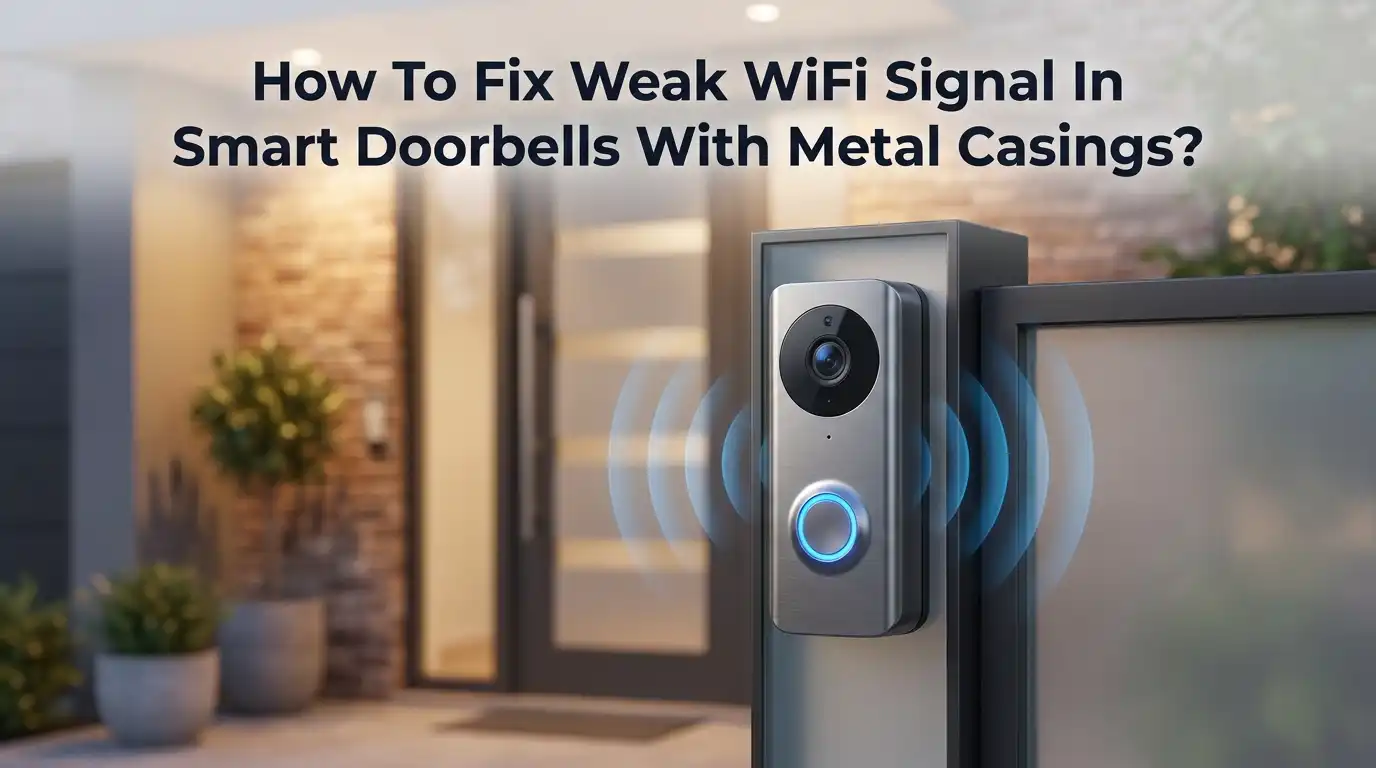
So what is going on? The answer often hides in one place. Your doorbell has a metal casing or a metal front door, and metal blocks WiFi signals.
Metal reflects and absorbs radio waves. Your doorbell antenna sits behind that metal shell. The signal fights to escape, and it loses strength fast.
Key Takeaways
- Metal blocks and reflects WiFi signals. A metal doorbell casing or metal front door acts like a shield. It weakens the radio waves before they reach your router.
- The 2.4GHz band works best for doorbells. This frequency travels farther and passes through walls and obstacles better than 5GHz. Always connect your doorbell to 2.4GHz.
- Router placement changes everything. Move your router higher, closer, and away from metal, mirrors, and thick walls. This one step fixes many signal problems fast.
- A WiFi extender or mesh system bridges the gap. Place an extender halfway between your router and your doorbell. This carries a strong signal right to your front door.
- Check your RSSI value in the app. A reading near -50 dBm is strong. A reading past -70 dBm is weak. This number tells you exactly how bad the problem is.
- Small mounting changes help a lot. A non-metal spacer, an angled wedge, or a new mounting spot can free your antenna from the metal trap.
Why Metal Casings Weaken Your Doorbell WiFi Signal
Metal is the enemy of WiFi. Radio waves cannot pass through solid metal easily. They bounce off it or get absorbed. Your smart doorbell sends and receives WiFi through a tiny antenna inside the unit. When that antenna sits behind a metal faceplate or metal casing, the signal gets trapped.
Think of it like shouting inside a metal box. Your voice echoes and muffles. The same thing happens to WiFi. The metal acts almost like a partial Faraday cage. It reflects the signal back inside instead of letting it reach the router.
This is why your phone shows strong WiFi at the door, but your doorbell reports a weak connection. Your phone has an open antenna. Your doorbell does not. Understanding this cause is the first step to fixing it.
Check Your Doorbell Signal Strength First (RSSI)
You cannot fix a problem you cannot measure. Most smart doorbell apps show a signal strength number called RSSI. This value tells you how strong your connection really is. Open your app and look for “Device Health” or “Signal Strength.”
RSSI shows as a negative number in dBm. Here is how to read it. A value between -30 and -50 dBm means excellent signal. A value near -60 dBm is still fine. A value past -70 dBm means trouble. Anything below -80 dBm is nearly unusable.
Write down your current number before you make changes. After each fix, check the number again. This shows you what works. Measuring your progress keeps you from guessing. You will know exactly when the signal improves.
Switch Your Doorbell To The 2.4GHz WiFi Band
This is the single most important setting. Most smart doorbells work best on the 2.4GHz band, not 5GHz. The reason is simple. Lower frequencies travel farther and pass through walls, doors, and even some metal better.
The 5GHz band is faster, but it has short range. It also struggles with obstacles. Since your doorbell sits outside behind metal, 5GHz makes the problem worse. The 2.4GHz band gives your doorbell a fighting chance to reach the router.
Log into your router settings or your doorbell app. Find the WiFi network list. Connect the doorbell to the 2.4GHz network. Some routers combine both bands under one name. In that case, you may need to split them into two separate network names.
Pros: This fix is free. It takes only a few minutes. It often gives an instant boost.
Cons: The 2.4GHz band is slower. It also faces more interference from other devices like microwaves and baby monitors.
Move Your WiFi Router To A Better Spot
Where you place your router matters more than you think. A router hidden in a basement or behind a TV wastes half its signal. Metal objects, mirrors, and thick walls near the router block the waves before they even leave the room.
Move your router to a high, central, open spot. The top of a cabinet works well. Keep it away from metal shelves, appliances, aquariums, and cordless phone bases. Point any external antennas upright for the best spread.
Try to place the router closer to the wall nearest your front door. Every wall the signal crosses cuts its strength. A clear line of sight beats a short distance blocked by clutter.
Pros: This costs nothing. It improves WiFi for your whole home, not just the doorbell.
Cons: You may need to run a longer cable. Your ideal router spot may not have a nearby outlet or modem port.
Install A WiFi Extender Near Your Front Door
Sometimes the router just sits too far away. A WiFi extender grabs your existing signal and repeats it closer to your doorbell. This bridges the dead zone at your front entrance where the metal casing blocks reception.
Placement is the trick. Do not put the extender right next to the doorbell. Do not put it right next to the router either. Place it halfway between the two. A good rule is to set it at the last spot where your WiFi still feels strong. From there, it pushes a fresh signal to the door.
Plug it in, follow the setup steps, and connect it to your 2.4GHz network. Then reconnect your doorbell to the extended signal.
Pros: Extenders are affordable and easy to set up. They fix range problems fast.
Cons: They can cut your speed in half. A poorly placed extender just repeats a weak signal, so position matters a lot.
Upgrade To A Mesh WiFi System
If extenders feel like a patch, a mesh system is the full solution. A mesh network uses several units, called nodes, that work as one seamless WiFi blanket. Your devices move between nodes without dropping the connection.
Place one node inside your home near the front door. This puts a strong source of WiFi right where your doorbell needs it. The metal casing still blocks some signal, but a nearby node overpowers that barrier easily.
Mesh systems handle large homes and tricky layouts well. They also keep your speed high, unlike basic extenders. Modern mesh kits set up through a simple phone app in minutes.
Pros: Mesh gives strong, even coverage everywhere. It removes dead zones and keeps full speed across the home.
Cons: Mesh systems cost more than extenders. Replacing your whole setup is a bigger upfront investment.
Reposition Or Reangle Your Smart Doorbell
Small changes to the doorbell itself can free the trapped signal. The metal casing blocks the signal most on the side facing away from your home. Adjusting the angle helps the antenna point toward your router.
Many doorbells come with an angle mount or wedge kit. Use it to tilt the unit slightly toward the direction of your router. This tiny shift can improve the RSSI reading by several points.
If your doorbell sits inside a metal door frame or recessed pocket, try moving it a few inches out. Even a small gap between the doorbell and the metal helps. Give the antenna room to breathe, and the signal escapes more easily.
Pros: This fix is free and quick. It uses parts you may already own.
Cons: Your mounting options may be limited. Some doors and frames leave little room to reposition the unit.
Add A Non Metal Spacer Behind The Doorbell
This trick targets the metal problem directly. A spacer lifts the doorbell away from the metal surface behind it. Even a small air gap reduces how much the metal absorbs and reflects the signal.
Use a plastic, rubber, or wood spacer block. Mount it between the doorbell base and the metal door or wall. Many people cut a small piece of plastic or use a 3D printed mount for this. The goal is simple. Break the direct contact between the antenna and the metal.
This works because metal harms the signal most when it sits right against the antenna. A gap of even one centimeter can make a real difference.
Pros: This is a cheap and clever fix. It attacks the root cause without changing your network.
Cons: The doorbell sticks out more. The look may not suit everyone, and you must drill new mounting holes.
Hardwire Your Doorbell Or Use A Wired Model
WiFi is not your only path. Some smart doorbells support a wired data connection, which skips the WiFi problem entirely. Power over Ethernet models send both power and internet through one cable. No metal casing can block a wired signal.
If your doorbell only uses WiFi for data, a wired option still helps. Some brands offer a chime hub that plugs in near your router. This hub connects to your doorbell over a stronger link and relays the data.
Running a cable takes more effort. Still, it gives you the most stable and reliable connection possible. A wire never drops the signal, no matter how much metal surrounds the unit.
Pros: A wired link is the most stable and fastest option. It fully removes the metal WiFi problem.
Cons: Installation is harder and may need drilling. Not every doorbell model supports a wired data connection.
Reduce WiFi Interference From Other Devices
Metal is not the only thief. Many home devices crowd the 2.4GHz band and steal your doorbell signal. Microwaves, baby monitors, cordless phones, Bluetooth speakers, and even your neighbors’ WiFi all cause interference.
Log into your router and check the WiFi channel. The 2.4GHz band has channels 1, 6, and 11 as the best non overlapping choices. Pick the one with the least traffic. Many routers can scan and choose the clearest channel for you.
Keep the router away from microwaves and other electronics. A clear channel gives your doorbell a quiet lane to send its data. Less noise means a stronger, steadier connection.
Pros: This fix is free and improves all your devices. A clear channel reduces random dropouts.
Cons: Interference can change over time. You may need to recheck and switch channels now and then.
Update Firmware And Restart Your Devices
Never skip the basics. Old firmware causes many strange connection issues, including weak signal reports. Manufacturers release updates that improve WiFi handling and fix bugs. Keeping your doorbell current can solve problems you did not expect.
Open your doorbell app and check for firmware updates. Install any that appear. Also update your router firmware through its settings page. Both devices need to speak the same modern language.
After updating, restart everything. Unplug your router for thirty seconds, then plug it back in. Restart the doorbell too. A fresh start clears memory glitches and reconnects devices cleanly. This simple routine fixes more problems than people expect.
Pros: This is free and fast. It fixes hidden software bugs and improves stability.
Cons: The change may be small if hardware or metal is the real issue. Updates can occasionally cause new bugs.
When To Call A Professional Or Replace The Doorbell
Sometimes you have tried everything and the signal still fails. If nothing works, the problem may be the doorbell design or a deep wiring issue. At this point, expert help saves you time and stress.
A professional installer can run proper wiring, place a mesh node correctly, or suggest a model that suits your metal door. They can also test for issues you cannot see, like faulty wiring or a weak internet plan.
If your current doorbell has a poor antenna, a newer model with better hardware may just work. Some brands handle metal casings far better than others. Choosing the right device from the start prevents future headaches.
Pros: A pro solves stubborn problems fast. You get a clean, reliable result.
Cons: Professional help costs money. Replacing the doorbell adds expense on top of your first purchase.
Frequently Asked Questions
Does a metal door really block my doorbell WiFi signal?
Yes, it does. Metal reflects and absorbs radio waves. When your doorbell sits on or near a metal door, the signal struggles to reach your router. This weakens your connection and causes lag or dropouts. A spacer or repositioning often helps.
What is a good RSSI number for a smart doorbell?
Aim for a value between -30 and -60 dBm. This range means a strong, stable signal. A reading near -70 dBm is weak and may cause problems. Anything below -80 dBm is often unusable. Check this in your app under Device Health.
Should I use 2.4GHz or 5GHz for my doorbell?
Use 2.4GHz for your doorbell. This band travels farther and passes through walls and obstacles better than 5GHz. The 5GHz band is faster but has short range and struggles with barriers. Most doorbells are built to run on 2.4GHz for this reason.
Will a WiFi extender fix my weak doorbell signal?
Often, yes. An extender repeats your WiFi closer to the front door. Place it halfway between your router and your doorbell for the best result. Do not place it too close to either one. A well placed extender can boost your signal a lot.
Can I put my doorbell inside a metal frame?
You can, but expect a weaker signal. A metal frame traps the WiFi waves. If you must mount it there, add a non metal spacer to create an air gap. You can also angle the unit toward your router to help the signal escape.
Why does my phone show strong WiFi but the doorbell does not?
Your phone has an open, larger antenna. Your doorbell has a small antenna hidden behind metal or plastic. The casing blocks the doorbell signal far more than your phone. This is why the two devices show different signal strength at the same spot.

Hi, I’m Pearl Standen, the voice behind The Web Utility. I’m a passionate tech enthusiast who loves exploring the latest gadgets, smart devices, and electronics that make everyday life easier. Through my website, I share honest, well-researched reviews of trending Amazon products to help you make smarter buying decisions.