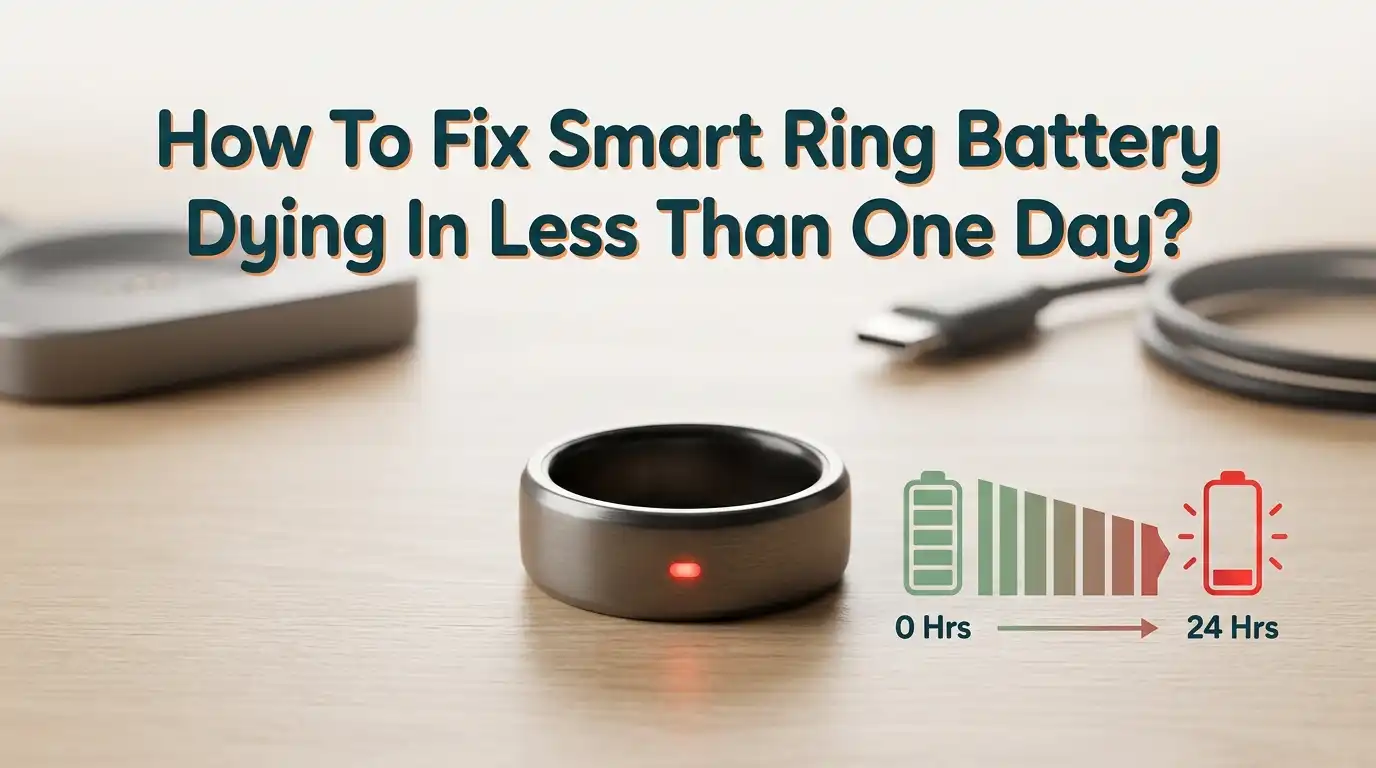
How To Fix Smart Ring Battery Dying In Less Than One Day?
You just bought a smart ring to track your sleep, monitor your heart rate, and stay on top of your health goals. But instead of lasting the promised four to seven days, your ring barely survives a single day. The battery drains overnight. You wake up to a dead device and zero sleep data. This is a frustrating problem, and you are not alone.
Thousands of smart ring users across brands like Oura, Samsung Galaxy Ring, Ultrahuman Ring AIR, and RingConn report the same issue. The good news?
Most of the time, a smart ring battery dying in less than one day is not a hardware defect. It is usually caused by a software glitch, a wrong setting, or a bad charging habit. And you can fix it yourself at home in just a few minutes.
In a Nutshell
- Firmware updates are often the biggest fix. Many users report that a single software update restored their battery life from under 12 hours to multiple days. Outdated firmware can contain bugs that keep sensors running nonstop and drain your battery fast. Always check for the latest update in your companion app before trying anything else.
- Background sync and constant Bluetooth activity are silent battery killers. Your ring constantly tries to send data to your phone. Turning off background sync or enabling airplane mode on the ring during periods of inactivity can extend battery life by up to 35%.
- Overcharging and deep discharging both damage your battery over time. Smart rings use lithium polymer batteries that perform best between 20% and 80% charge. Letting the battery drop to 0% or leaving it on the charger for days weakens the overall battery health and shortens daily performance.
- Unnecessary health features drain power faster. Features like continuous blood oxygen monitoring, all day stress tracking, and real time heart rate measurements consume significant energy. Disabling the ones you do not actively use can add hours or even days to your battery life.
- Extreme temperatures are a hidden enemy. Cold weather causes temporary battery drain, and heat can permanently damage the battery cells inside your ring. Always charge and store your ring at room temperature.
- A factory reset is the last resort that often works. If nothing else solves the problem, a factory reset clears corrupted settings and restarts the ring fresh. Many users find this completely resolves unexplained rapid battery drain.
Update Your Smart Ring Firmware Immediately
The very first step you should take is a firmware update. Smart ring manufacturers regularly release software patches that fix battery drain bugs. Samsung, for example, pushed a specific update to fix inconsistent battery drain on the Galaxy Ring after many users reported their ring dying in just three hours.
Open your companion app on your phone. Go to the device or ring settings section. Look for a firmware update option. If an update is available, make sure your ring battery is above 30% before starting the process. Also confirm that Bluetooth is enabled on your phone.
After updating, run through two full charge cycles. Charge the ring to 100%, wear it until it drops to about 25%, and then charge it again. This helps calibrate the battery meter so it shows accurate readings.
Pros: This is the easiest and fastest fix. It costs nothing and often solves the problem completely.
Cons: Some firmware updates have actually caused worse battery life for certain users. If this happens, contact customer support for a rollback or wait for the next patch.
Turn Off Background Sync
Background sync keeps your smart ring constantly sending data to your phone throughout the day. This continuous communication via Bluetooth is one of the biggest battery drainers on any smart ring.
Most companion apps let you turn off background sync. The Ultrahuman app introduced this as a toggle in a recent update. With background sync off, your ring only transfers data when you open the app manually. This simple change can save significant battery life.
You will notice a short delay when opening the app because the ring needs a few seconds to upload stored data. But for most people, that small wait is worth the extra hours of ring life.
Pros: Very effective at reducing drain. Easy to toggle on and off based on your needs.
Cons: You will not get real time notifications or alerts until you open the app. Data might feel slightly delayed.
Disable Unnecessary Health Tracking Features
Your smart ring can track many things at once. Sleep stages, heart rate, blood oxygen levels, skin temperature, stress rhythm, and step count all run through different sensors. Each active sensor draws power from the battery.
Think about which features you actually use every day. If you only care about sleep tracking and step count, turn off continuous blood oxygen monitoring and all day stress tracking. Oura Ring users report that disabling SpO2 monitoring alone added an extra day of battery life.
Go into your companion app. Find the feature settings or measurement preferences. Turn off anything you do not review regularly. You can always turn features back on for a few days if you want specific data.
Pros: You keep the data you care about most while dramatically extending battery life.
Cons: You lose some health insights. If you later want that data, you will have gaps in your history.
Use Airplane Mode During Downtime
Most smart rings have an airplane mode that turns off Bluetooth communication. The ring continues to collect data using its onboard sensors. It simply stops trying to connect to your phone until you turn airplane mode off.
This is especially useful during sleep. Your ring will still track your sleep stages, heart rate, and movement while using far less power. When you wake up, disable airplane mode. The ring will sync all the saved data to your app.
You can also use airplane mode during workouts, long meetings, or travel. Any time you do not need live data on your phone, airplane mode is your friend.
Pros: Significant battery savings with zero loss of tracked data. All data syncs later.
Cons: You will not receive battery warnings or real time alerts while airplane mode is active.
Charge Your Ring in Short Bursts
Smart ring batteries are made of lithium polymer cells. These batteries perform best when kept between 20% and 80% charge. Letting the battery drain to zero or keeping it at 100% for long periods stresses the chemistry inside.
Build a habit of placing your ring on the charger during short breaks. Drop it on the charger while you shower, cook dinner, or work at your desk. Even 15 to 20 minutes of charging can give you hours of extra use.
Avoid leaving your ring on the charger overnight or for multiple days. Overcharging generates heat inside the battery. This heat degrades the cells and reduces their total capacity over time.
Pros: Extends the overall lifespan of your battery. Keeps daily performance consistent.
Cons: Requires you to remember to charge more frequently. You need to keep a charger accessible.
Check for Rogue Bluetooth Connections
Your smart ring should connect to one phone and one account only. If it is paired to multiple devices or has leftover Bluetooth connections from an old phone, the ring may constantly search for signals. This search drains battery fast.
Go to your phone’s Bluetooth settings. Find your smart ring in the list of connected devices. Remove any duplicate entries. Then open the companion app and verify the ring is paired to only your current device.
If you recently switched phones, perform a proper unlink process first. Factory reset the ring, remove it from the old phone’s Bluetooth list, and then set it up fresh on your new device.
Pros: Eliminates hidden battery drain from ghost connections. Simple to check.
Cons: You may need to set up the ring again from scratch, which takes a few minutes.
Protect Your Ring from Extreme Temperatures
Temperature has a direct impact on battery performance. Cold weather causes your ring’s battery to drain faster because the chemical reactions inside the cells slow down. The battery has less available energy in the cold, even though it is not actually damaged.
Heat is worse. Leaving your smart ring in a hot car, in direct sunlight, or near a radiator can permanently damage the battery cells. Damaged cells hold less charge and drain faster during use. Always charge your ring at room temperature.
If you live in a cold climate, keep your ring under your gloves or sleeves during winter. If you exercise outdoors in summer heat, remove the ring and store it in a cool place until you finish.
Pros: Prevents permanent battery damage. Costs nothing to implement.
Cons: You may lose tracking data during extreme weather activities if you remove the ring.
Perform a Factory Reset
If you have tried everything else and your ring still dies in less than a day, a factory reset may be the answer. Corrupted settings, failed firmware updates, or software glitches can create background processes that drain power constantly.
Open your companion app. Go to your ring or device settings. Find the factory reset option and follow the steps. After the reset, remove the ring from your phone’s Bluetooth settings completely. Then set it up again as if it were brand new.
You will lose your locally stored data, so make sure to back up through the app first. After the reset, monitor your battery performance over two to three days. Many users report that this fix alone brought their ring back to normal multi day battery life.
Pros: Clears all software problems at once. Gives you a fresh start.
Cons: You lose unsaved data. You must set up preferences and features again.
Stop Using Third Party Chargers
The charger you use matters more than you might think. Smart rings have very specific voltage and current requirements. A charger or charging case that does not meet these specs can deliver too much or too little power.
Too much voltage damages the battery cells and reduces their capacity. Too little voltage results in incomplete charges. Either way, your ring will not last as long as it should. Always use the original charger that came with your device.
If you lost your charger, order a replacement directly from the manufacturer. Generic chargers may seem convenient, but they risk long term damage to your ring’s battery health.
Pros: Protects battery health and ensures proper charging every time.
Cons: Replacement chargers from the manufacturer may cost more than third party options.
Calibrate Your Battery Every Few Months
Over time, your ring’s battery meter can become inaccurate. It might show 30% when the real charge is actually 10%. This means your ring dies sooner than expected because the software does not know the true battery level.
To calibrate, let your ring discharge completely until it shuts off on its own. Then place it on the charger and let it charge to 100% in one uninterrupted session. Do not remove it during this process.
You only need to do this once every two to three months. Regular calibration keeps the battery percentage accurate and helps the ring manage power more efficiently.
Pros: Improves accuracy of battery readings. Helps the ring manage power better.
Cons: Full discharge can stress the battery if done too often. Limit this to once every few months.
Contact Customer Support for a Replacement
Sometimes the battery itself has a hardware defect. If your ring is less than a year old and the battery drains in under a day despite all fixes, the issue is likely physical. Battery cells can arrive with manufacturing flaws that only show up after weeks of use.
Reach out to the manufacturer’s customer support team. Provide your purchase date, ring model, and a description of the issue. Many brands offer warranty replacements for defective batteries. Samsung, Oura, and others have replaced rings for users experiencing confirmed battery defects.
Document your battery performance with screenshots from the app before contacting support. This evidence speeds up the warranty process.
Pros: Gets you a fully working ring at no cost if under warranty.
Cons: The replacement process can take days or weeks. You may be without a ring during that time.
Prevent Future Battery Problems with Smart Habits
Once you fix the immediate drain issue, you want to keep your battery healthy for the long term. Build a few simple daily habits that protect your ring’s power.
Charge between 20% and 80% whenever possible. Keep the ring away from extreme heat and cold. Update firmware as soon as new versions release. Turn off features you do not use. And never leave the ring on the charger for more than a few hours at a time.
Store your ring in its charging case when you are not wearing it. The case protects against physical damage and environmental factors. If you plan to stop wearing the ring for more than two weeks, charge it above 50% and enable power saving mode before storing.
Pros: Extends overall battery lifespan by months or even years.
Cons: Requires consistent effort and routine changes.
When To Accept That Your Battery Needs Professional Help
Not every battery problem can be fixed at home. If your ring is more than two years old, the lithium polymer cells may have reached the end of their natural lifespan. All rechargeable batteries degrade over hundreds of charge cycles.
Signs of a dying battery include the ring lasting less than a day even after a factory reset, the ring getting warm during charging, or the battery percentage jumping erratically. These symptoms point to physical cell degradation that no software fix can solve.
In this case, contact the manufacturer about repair or recycling options. Some brands offer battery replacement services. Others provide discounts on new devices when you trade in old ones. Never throw a damaged lithium battery in regular trash because it requires special recycling.
Pros: Knowing the limits saves you time and frustration from endlessly troubleshooting.
Cons: Replacement or repair costs money. You may need to buy a new ring.
Frequently Asked Questions
How long should a smart ring battery last on a full charge?
Most smart rings last between four and eight days on a full charge. The exact duration depends on the brand, model, ring size, and which features are active. Smaller rings have smaller batteries and may last closer to four days, while larger sizes can reach seven or eight days with conservative settings.
Does turning off Bluetooth on my phone help save the ring’s battery?
No. Turning off Bluetooth on your phone actually makes the problem worse. Your ring will keep searching for a connection and use more power in the process. Instead, use the airplane mode feature on the ring itself to stop Bluetooth communication properly.
Can a firmware update cause battery drain instead of fixing it?
Yes, this can happen. Some firmware updates introduce new bugs or increase sensor activity. If your battery life got worse after an update, contact customer support. They may be able to roll back the firmware or provide a specific fix.
Is it bad to charge my smart ring every day?
Not at all. In fact, short daily charges are better for lithium polymer batteries than full drain and full charge cycles. Keeping the battery between 20% and 80% reduces chemical stress and extends the overall lifespan of the cells. Drop your ring on the charger during showers or desk time.
Should I replace my smart ring if the battery dies in less than a day?
Try all the solutions in this guide first. Most rapid drain issues come from software problems, not hardware failure. But if your ring is more than two years old and nothing fixes the drain, the battery may have reached the end of its usable life. Contact the manufacturer about warranty or replacement options.

Hi, I’m Pearl Standen, the voice behind The Web Utility. I’m a passionate tech enthusiast who loves exploring the latest gadgets, smart devices, and electronics that make everyday life easier. Through my website, I share honest, well-researched reviews of trending Amazon products to help you make smarter buying decisions.