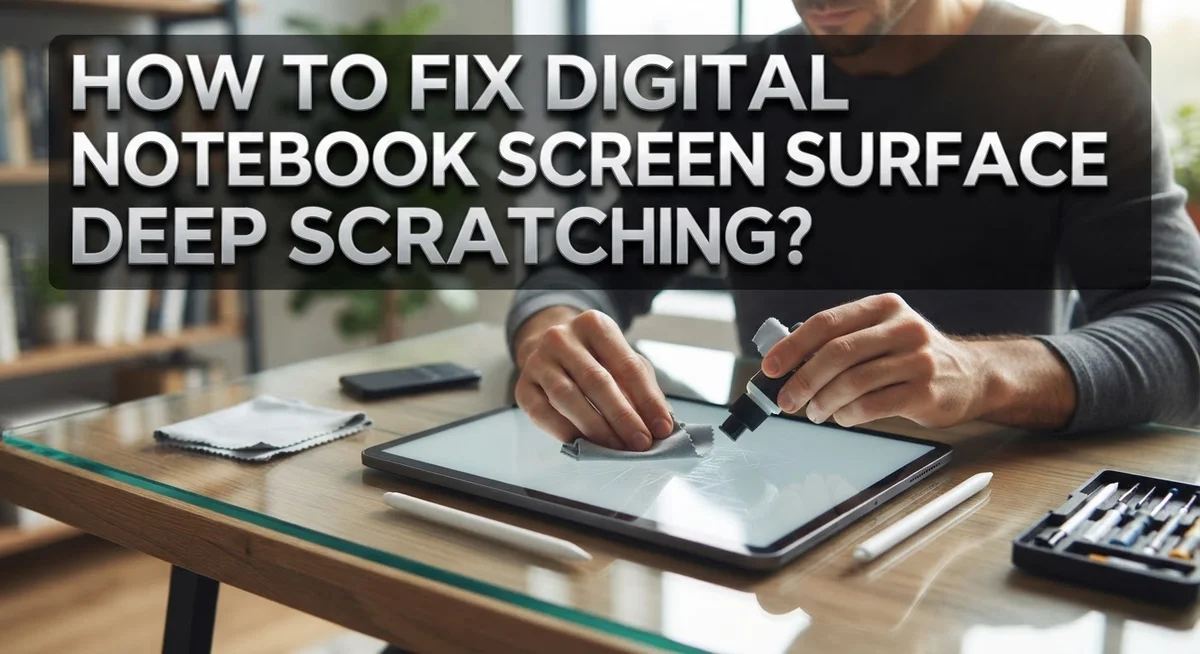
How To Fix Digital Notebook Screen Surface Deep Scratching?
A deep scratch on your digital notebook screen can feel like a small disaster. You glance down and see a mark that catches the light every time you write or draw. Your first thought is probably, “Can I fix this myself?”
Here’s the honest truth. Deep scratches are tough to repair completely. Unlike shallow marks, they often go beyond simple polishing fixes.
This guide will walk you through everything you need to know. We’ll explain the real difference between screen surface scratches and bezel damage. These are not the same problem, and they need different solutions.
In a Nutshell
Here’s what you need to know about fixing deep scratches on your digital notebook screen:
- Deep scratches usually can’t be repaired at home. They sit below the surface and affect your display permanently. Screen replacement is the only real fix.
- Shallow scratches are different. These sit on the top layer and sometimes look better with careful cleaning. They rarely need full replacement.
- Check if it’s the screen or the bezel. Screen scratches mess with your display quality. Bezel scratches are just cosmetic and don’t hurt your viewing experience.
- Avoid sharp objects near your screen. Screwdrivers, keys, and other pointy tools cause most deep scratches. Keep them far away from your display.
- Skip DIY repair attempts on deep scratches. Home remedies rarely work and can make things worse. Professional installation gives you the best results when replacing a screen.
- Prevention beats repair every time. A properly sized screen protector for your 15.6 inch, 16 inch, or other display stops future scratches before they happen.
Understanding Deep Scratches: Screen Surface vs Bezel Damage
Understanding the difference between screen surface damage and bezel damage helps you decide your next steps. Your digital notebook has two distinct areas that can get scratched: the actual display screen and the outer frame or bezel surrounding it.
Screen surface scratches affect what you see. These scratches sit on the protective glass layer or directly on the LCD panel beneath it. When you have a deep screen scratch, it typically damages the layers that produce your image. This means you’ll notice the scratch every time you use your device, no matter what’s on your display.
Bezel scratches are purely cosmetic. The bezel is the plastic or metal frame around your screen’s edges. Scratches here don’t impact your display quality or functionality. You can live with bezel damage without any performance issues.
Here’s how to tell the difference: Look at your notebook with the screen off. Turn it at different angles under bright light. If the scratch appears dark or affects the display area itself, it’s a screen scratch. If the scratch only appears on the frame around the edges, that’s bezel damage.
Deep screen scratches penetrate multiple layers. They go past the protective coating and into the LCD panel or touch layer. This type of damage rarely improves on its own. Shallow scratches sit only on the top protective layer and sometimes look less noticeable after proper cleaning.
Understanding this distinction matters because bezel damage needs only cosmetic fixes, while screen damage requires more serious solutions. Screen scratches typically demand professional replacement to restore your display quality. Bezel damage, meanwhile, won’t affect your work or viewing experience at all.
Why Deep Scratches Are Difficult to Repair Permanently
Deep scratches on your digital notebook screen are difficult to repair permanently because of how screens are constructed. Your screen has multiple layers working together to display images. When a scratch goes deep, it damages these layers below the surface.
The top layer is a protective coating. Below that sits the LCD or OLED panel. Even deeper are backlighting components and wiring. A deep scratch can harm any of these layers at once.
Once these layers are damaged, they can’t heal themselves. Unlike your skin, screen materials don’t regenerate. The damage stays permanent and often gets worse over time as dust enters the scratched areas.
Professional repair shops rarely fix deep scratches because replacement is more cost effective than repair. The labor required to carefully disassemble your notebook, remove the damaged screen, and install a new one takes significant time. Attempting repairs on deep scratches risks breaking other components.
Shallow scratches sit only on the protective coating. These sometimes look less noticeable after careful cleaning. Deep scratches go through that coating into the actual display panel beneath.
The problem gets worse when you consider what causes deep scratches. Most happen from pressure or impact. This same force often damages the screen’s internal structure, not just the surface you see.
Your screen’s sensitive nature makes permanent repair nearly impossible without replacement. The materials can’t be refinished like wood or metal surfaces. Once the protective layers are compromised, moisture and dust can seep inside, causing display problems to develop gradually.
This is why prevention matters so much. Protecting your screen before damage occurs saves you from dealing with this permanent problem later.
Assessing the Damage: How to Determine Scratch Severity
Start by turning off your digital notebook completely. A dark screen makes scratches more visible and easier to assess. Look at the damage from different angles and lighting conditions to understand its full extent.
Run your fingernail gently over the scratched area. If you feel a groove or indentation, the scratch is deep and likely affects multiple screen layers. Shallow scratches feel smooth because they only touch the top protective coating.
Check whether the scratch impacts your display quality. Turn your notebook back on and look at the affected area. Deep scratches often create visible lines, discoloration, or dead pixels that show up when the screen is active. Shallow scratches usually don’t affect what you see on screen.
Examine the location carefully. Scratches on the outer bezel are cosmetic issues only. Scratches directly on the display surface are more serious. The bezel is the plastic or metal frame around your screen. The display surface is where the actual image appears.
Test the scratch’s depth by shining a light at an angle across it. Deep scratches cast shadows because they penetrate below the surface. Surface scratches reflect light evenly without creating shadows.
Consider the scratch’s size and length. Single thin scratches are often easier to manage than multiple deep gouges or large damaged areas. Multiple scratches across your screen suggest the display may need replacement.
Document what you find. Take photos or notes about the scratch location, depth, and whether it affects your display. This information helps you decide whether professional repair or screen replacement makes sense for your situation.
Step-by-Step: Professional Screen Replacement Process
The professional screen replacement process follows a structured approach. Technicians start by powering down your device completely and disconnecting all power sources. This prevents electrical damage during the repair work.
Next, professionals remove the bezel or frame holding your screen in place. They carefully detach cables connecting the screen to your motherboard. These ribbon cables are delicate, so proper handling matters. Technicians photograph the cable positions before disconnection to ensure correct reinstallation.
The damaged screen panel is then lifted away from the device body. Professionals inspect the mounting brackets and hinges for any damage. They check whether replacement parts are needed beyond just the screen itself.
Before installing the new screen, technicians clean the mounting area thoroughly. They remove dust, debris, and old adhesive residue. A clean surface ensures the new screen sits properly and functions optimally.
The replacement screen is positioned carefully into the frame. Technicians reconnect all ribbon cables in their original positions, matching the photos taken earlier. Each connection must be secure to avoid display issues.
The bezel or frame is then reattached using appropriate fasteners. Professionals ensure all screws are tightened evenly to prevent uneven pressure on the new screen. Over tightening can crack the panel, so proper torque matters.
Finally, the device is powered on to test the new screen. Technicians check for dead pixels, color accuracy, and display responsiveness. They verify that brightness controls and other display settings work correctly.
Professional replacement typically takes one to three hours depending on your device model. The process ensures your notebook functions like new without deep scratches affecting your work or viewing experience.
Managing Shallow Scratches Without Full Replacement
Shallow scratches on your digital notebook screen sit only on the protective coating layer. These scratches don’t penetrate into the display components beneath. You have several practical options to manage them without replacing your entire screen.
Start by cleaning the scratched area thoroughly with a soft, lint-free cloth. Use distilled water or a screen-safe cleaning solution. Gentle circular motions work better than harsh rubbing. Sometimes dust or debris makes shallow scratches appear worse than they actually are.
After cleaning, examine the scratch under good lighting. Shine a light at different angles across the damaged area. If the scratch becomes less visible or nearly disappears, it’s likely shallow and cosmetic only. These scratches won’t worsen your display quality or screen functionality.
For shallow scratches that remain visible, you can apply a clear screen protector over your display. Screen protectors are thin films that adhere to your screen surface. They cover existing shallow scratches and prevent new ones from forming. Screen protectors come in various sizes to fit different notebook models like 15.6 inch or 16 inch screens.
Another approach involves using clear protective films designed for screens. These temporary solutions mask shallow scratches while protecting your display from future damage. They’re easy to apply and remove without leaving residue.
The key is accepting that shallow scratches won’t disappear completely. They’re cosmetic issues that don’t affect your device’s performance. Focus your energy on preventing additional scratches rather than removing existing ones.
If your scratch runs deep into the display layers or affects image quality, screen replacement becomes necessary. Professional technicians can assess whether your damage qualifies as shallow or deep.
Preventing Future Scratches with Screen Protectors
Screen protectors work as a preventative barrier between your display and potential damage. They sit on top of your screen surface and absorb impacts that would otherwise scratch the glass or LCD panel underneath.
Understanding how screen protectors function helps you choose the right solution. These protective layers are made from tempered glass or durable plastic materials. They’re designed to take the hit instead of your actual screen. When something scratches the protector, your real display stays safe underneath.
Sizing matters when you select a screen protector. Digital notebooks come in different screen dimensions like 15.6 inches, 16 inches, and 17 inches. You need to match your device’s exact screen size for proper coverage. A protector that’s too small leaves edges exposed. One that’s too large won’t fit properly in your bezel.
Installation requires a clean workspace. Dust particles trapped under a protector create bubbles and reduce clarity. Start by powering off your device completely. Wipe your screen with a soft, lint-free cloth to remove all dust and fingerprints. Follow the protector’s application instructions carefully.
Screen protectors eliminate future scratch concerns entirely. Once installed, they become the sacrificial layer that protects your investment. You can replace a scratched protector affordably without touching your actual screen. This approach costs far less than professional screen replacement.
Regular maintenance keeps your protector effective. Clean it gently with appropriate cloths. Avoid using rough materials that damage the protector itself. When your protector shows significant wear, simply remove it and install a new one.
This prevention strategy works best when applied before any damage occurs to your digital notebook screen.
Common Mistakes That Worsen Screen Damage
People often make mistakes that make screen damage worse. Understanding these errors helps you protect your digital notebook better.
Using sharp tools near your screen is a major mistake. Many users grab screwdrivers or metal objects to clean scratches. This approach pushes debris deeper into the display layers. It can also create new scratches while you’re trying to fix existing ones. Always use soft cloths instead.
Applying pressure to remove scratches causes additional harm. Your screen has delicate layers underneath the surface. Rubbing hard or scrubbing vigorously damages these layers further. What starts as a minor scratch becomes a serious problem quickly.
Ignoring early warning signs leads to bigger issues. Small scratches often expand over time from regular use. Dust and particles collect in scratched areas. This creates visibility problems that spread across your display. Catching damage early prevents escalation.
Using liquid cleaners incorrectly worsens scratches significantly. Some people spray liquids directly on screens, hoping to fill or hide scratches. Moisture seeps into the display and causes internal damage. It can trigger electrical shorts or display malfunction.
Attempting DIY repairs without proper knowledge backfires frequently. Disassembling your device to access the screen requires expertise. One wrong move disconnects internal cables or cracks the panel further. Professional technicians have the right tools and training.
Waiting too long before taking action allows damage to spread. The longer you delay addressing deep scratches, the more they deteriorate. Display functionality declines as scratches worsen. Your viewing experience becomes increasingly frustrating.
The best approach is prevention through protective barriers before damage occurs. This stops mistakes from happening in the first place. Once deep scratches appear, professional assessment becomes necessary to determine the right solution for your specific situation.
Troubleshooting: When to Seek Professional Help
Deep scratches on your digital notebook screen often require professional assessment. You should seek expert help when the scratch affects your display quality or makes text harder to read.
Professional technicians can determine whether your screen needs replacement or if repair is possible. They examine the damage depth and check if the scratch penetrated protective layers. This evaluation prevents you from wasting time on ineffective solutions.
Visit a professional service center if the scratch interferes with your work. Visible lines across your display or distorted colors indicate professional help is needed. These signs mean the damage goes beyond cosmetic issues.
Screen replacement is the primary solution for deep scratching. Professionals handle this work safely and ensure proper installation. They use correct tools and techniques that DIY attempts cannot match.
You should also seek help if you’re unsure whether damage is cosmetic or functional. Professionals distinguish between surface scratches and internal display layer damage. This knowledge guides the right repair path forward.
Contact experts before attempting any repair yourself. Improper cleaning or removal techniques can worsen deep scratches. Professional staff have experience with various digital notebook models and their specific repair needs.
Budget considerations matter too. Get quotes from multiple service centers to compare costs. Some facilities offer warranties on replacement screens, giving you protection.
If your scratch is shallow and doesn’t affect functionality, you might delay professional help. However, deep scratches that impact usability demand immediate professional attention. Waiting longer allows damage to spread and potentially cause additional problems to your display.
Professional help ensures your digital notebook returns to full working condition safely and reliably.
Final Thoughts
Deep scratches on your digital notebook screen can feel frustrating. But now you understand your options clearly.
Screen replacement remains the most reliable fix for deep scratches. Shallow scratches offer more flexibility, but deep damage usually needs professional attention.
Prevention works better than repair in almost every case. A quality screen protector stops scratches before they happen. This simple step saves you time, money, and stress.
Think about your daily habits with your device. Do you toss it in bags without protection? Do you set objects on top of it? Small changes to these habits protect your screen long term.
Acting quickly matters when damage occurs. Small scratches can spread if you ignore them. Address issues early instead of waiting for them to worsen.
Remember the difference between screen and bezel damage. Screen scratches affect your viewing experience and often need real fixes. Bezel scratches stay cosmetic and rarely need urgent action.
When deep scratches do appear, avoid the urge to fix them yourself. DIY attempts often cause more harm than good. Professional technicians have the tools and knowledge to assess damage properly.
Getting quotes from different service centers helps you make a smart choice. Compare costs and options before committing to any repair path.
Your digital notebook is a valuable tool for work and creativity. Treating the screen with care keeps it functional for years.
Combine smart prevention with quick action when problems arise. This approach protects your investment and keeps your screen clear.
Simple habits today prevent bigger headaches tomorrow. Take care of your screen, and it will serve you well for a long time.
Frequently Asked Questions
Can I fix deep scratches on my digital notebook screen myself?
Deep scratches typically require professional help or screen replacement. Attempting DIY repairs usually causes more damage. Your screen has delicate layers underneath the surface. Pressing or scraping at scratches can harm the display permanently. Professional technicians have the right tools and expertise to assess whether repair is possible or if replacement is necessary.
What’s the difference between a screen scratch and a bezel scratch?
Screen scratches appear on the display surface itself. They may affect how you see your content. Bezel scratches happen on the plastic or metal frame around your screen. These are purely cosmetic and don’t impact functionality. If you can see the scratch when your screen is on, it’s a screen scratch. If it only shows when the screen is off, it’s likely a bezel issue.
Are shallow scratches easier to fix than deep ones?
Shallow scratches are less urgent than deep ones. They may not require immediate replacement. However, shallow scratches can expand over time with regular use and cleaning. Protecting them prevents further damage. Deep scratches almost always need screen replacement since they go through protective layers.
How can I prevent scratches in the future?
Screen protectors are your best defense. They’re sized to fit your specific screen dimensions like 15.6 inches or 16 inches. Protectors absorb impacts and scratches instead of your actual display. Handle your device gently and avoid placing it near sharp objects. Store your notebook in a padded case when traveling.
Should I replace my screen if it has deep scratches?
Yes, screen replacement is the primary solution for deep scratches. A replacement restores full functionality and appearance. The cost varies by device model. Get quotes from multiple service centers to compare options and find the best value.

Hi, I’m Pearl Standen, the voice behind The Web Utility. I’m a passionate tech enthusiast who loves exploring the latest gadgets, smart devices, and electronics that make everyday life easier. Through my website, I share honest, well-researched reviews of trending Amazon products to help you make smarter buying decisions.