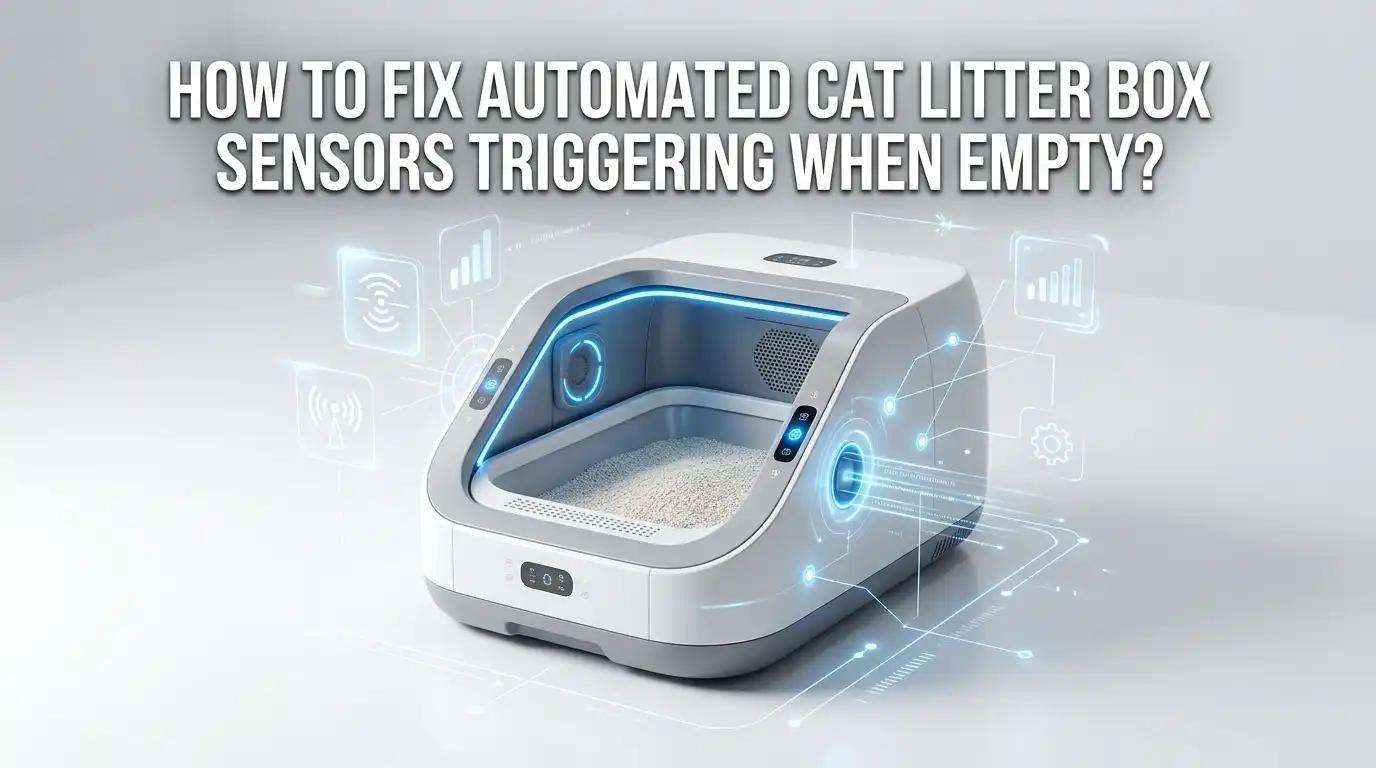
How To Fix Automated Cat Litter Box Sensors Triggering When Empty?
Your automatic litter box keeps running even when no cat is inside. The motor whirs. The drum spins. The waste gauge says full when the bin sits empty. This problem frustrates thousands of cat owners every day. The good news is that most sensor faults have simple fixes you can do at home.
Automatic litter boxes use sensors to know when a cat enters, exits, or when the bin needs emptying. These sensors are sensitive parts. Dust, fur, litter granules, and tiny weight changes can confuse them.
When that happens, the box triggers false cleaning cycles or shows wrong readings. This wastes power, stresses your cat, and shortens the motor’s life.
In a Nutshell:
- Dirty sensors cause most false triggers. Litter dust and fur build up on infrared and laser sensors. A simple wipe with a dry cotton swab fixes the issue in most cases.
- Weight sensors need recalibration. Every time you empty the bin, add litter, or move the unit, the weight reading changes. Always press the Reset button to recalibrate.
- Too much litter confuses the system. Overfilling tricks the weight sensor into thinking a cat is present. Keep litter at or below the fill line your manufacturer recommends.
- Vibration triggers random cycles. A nearby washing machine or an uneven floor can shake the unit. Place your box on a flat, stable surface or a rubber mat.
- A full reset or firmware update solves stubborn cases. When cleaning and calibration fail, a factory reset or software update often clears the fault for good.
- Regular maintenance prevents repeat problems. Weekly sensor cleaning and monthly deep cleaning stop most faults before they start.
Why Automatic Litter Box Sensors Trigger When Empty
Your litter box uses two main sensor types. Weight sensors measure how heavy the unit is. Optical sensors, like infrared or laser beams, detect movement and presence. Both systems work together to know when a cat arrives and leaves.
Problems start when these sensors give wrong readings. A weight sensor may detect extra weight from too much litter. An optical sensor may read dust as a moving object. The box then thinks a cat is inside, so it pauses cleaning or runs a false cycle.
Other causes include loose wiring, calibration drift over time, and firmware bugs. Knowing the exact cause helps you pick the right fix. In the sections below, I break down each problem and give you clear steps. You do not need special tools for most of these repairs.
Start With a Simple Power Cycle
Before you take anything apart, try the easiest fix first. A power cycle clears temporary glitches in the unit’s memory. Many false triggers come from small software errors, not hardware faults. Restarting the system often solves them in seconds.
Unplug your litter box from the wall outlet. Wait at least thirty seconds. This gives the internal circuit board time to fully discharge and reset. Then plug it back in and let the unit run its startup sequence. Watch the indicator lights to confirm normal operation.
If the false triggering stops, you found a quick win. If it continues, move to the next step. A power cycle costs you nothing and takes under two minutes.
Pros: It is fast, free, and risk free. Cons: It only fixes temporary glitches, not dirty sensors or hardware faults. Repeat triggering after a power cycle points to a deeper cause you must address next.
Clean the Infrared and Laser Sensors
Dirty optical sensors cause more false triggers than any other issue. Litter dust, fur, and dried waste coat the sensor lens over time. The sensor then reads this debris as a cat, so the box pauses or cycles wrongly. Cleaning these sensors fixes most empty box triggers.
First, unplug the unit for safety. Locate the sensors. On most models, they sit at the top of the globe or on the inner walls. Use a clean, dry cotton swab to gently wipe each sensor surface. You can also use compressed air to blow away loose dust and fur.
Do not use water or cleaning chemicals on the sensor lens. Moisture can damage the optical parts. A slightly damp microfiber cloth works for the surrounding area, but keep the lens itself dry.
Pros: This fix targets the most common cause and works for nearly all brands. Cons: You must repeat it weekly in dusty homes. Heavy fur shedding cats need more frequent cleaning.
Recalibrate the Weight Sensor With a Reset
Weight sensors track the total weight of your litter box. Any change in weight throws off the reading. When you empty the waste drawer, add litter, or move the unit, the sensor still remembers the old weight. This mismatch makes the box think a cat is present.
The fix is simple. Press the Reset button after any weight change. This recalibrates the weight sensor and the circuit board to match the new weight. On many units, the Reset button sits on the front panel or control base. Hold it for a few seconds until the lights flash.
Always reset after emptying the bin, adding or removing litter, or cleaning the globe. This single habit prevents a huge number of false triggers. Some app controlled models let you run calibration through the phone app instead.
Pros: It takes seconds and solves weight based errors completely. Cons: You must remember to do it every time, or the problem returns. Forgetting one reset can restart the false readings.
Check and Adjust Your Litter Level
Too much litter is a hidden cause of empty box triggers. Weight sensors read excess litter as the weight of a cat. When you overfill the globe or tray, the unit believes a cat sits inside, so it refuses to start a cleaning cycle. The bin then shows wrong status readings too.
Check your manufacturer’s recommended fill line. Most units mark a maximum fill level inside the globe or tray. Keep your litter at or below this line. As a general rule, four to five inches of litter works for most boxes. Some brands cap the total litter weight at around ten pounds.
Scoop out any extra litter until you reach the right level. After adjusting, press Reset to recalibrate the weight sensor. This step matters because changing the litter changes the weight.
Pros: It costs nothing and improves cleaning performance too. Cons: You may need to test a few times to find the perfect level for your model and your cat’s size.
Eliminate Vibration and Level the Unit
Vibration causes random false triggers that confuse many owners. A shaking unit sends false signals to motion and weight sensors. Nearby appliances like washing machines, dryers, or air conditioners create vibration through the floor. An uneven surface adds to the problem by stressing the sensors.
Place your litter box on a flat, level floor. Use a bubble level tool to confirm the surface is even. If your floor slopes slightly, add small shims under the base to balance it. A thick rubber mat under the unit absorbs vibration from the room.
Move the box away from loud or shaking appliances. Even a quiet hum from a fridge can trigger sensitive sensors over time. A stable, quiet corner gives your box the best chance to read sensors correctly.
Pros: It solves mysterious random cycling and protects the motor. Cons: You may need to rearrange furniture or find a new spot, which is not always easy in small homes.
Inspect and Clean the Waste Drawer Sensor
Many units have a separate sensor for the waste drawer. This sensor tells you when the bin is full. A false full reading on an empty bin almost always comes from a dirty or blocked drawer sensor. Litter dust and small clumps coat the sensor and confuse it.
Remove the waste drawer completely. Look for the sensor, often a small lens or contact point near the back wall or base. Wipe it gently with a dry cloth or cotton swab. Clear away any litter granules, dust, or stuck waste around the area.
Check that the drawer sits fully in place when you slide it back. A drawer that does not seat correctly can also trigger a false full alert. Make sure no debris blocks the rails or contact points.
Pros: It directly fixes the false full reading problem. Cons: You must remove and handle the waste drawer, which can be messy. Wear gloves and clean over a trash bag.
Perform a Full Factory Reset
When cleaning and recalibration fail, a factory reset often clears stubborn faults. This wipes the unit’s saved settings and restores the original calibration. Software bugs and corrupted memory cause some persistent false triggers that simple resets cannot fix.
Check your user manual for the exact reset steps, as they vary by brand. On many models, you press and hold the Reset or power button for five to ten seconds. Some units use a button combination. The lights will flash to confirm the reset has started.
After the reset, set up the unit again. Recalibrate the weight sensor, reconnect to the app, and run a test cycle. This fresh start removes any glitch that built up in the system over months of use.
Pros: It clears deep software faults that other fixes miss. Cons: You lose your custom settings and must set up the box again. App reconnection and recalibration take extra time.
Update Your Litter Box Firmware
Smart litter boxes run on firmware, which is the software inside the device. Outdated firmware can cause sensor bugs and false triggers. Manufacturers release updates to fix known sensor problems and improve detection accuracy. Running old software keeps those bugs alive.
Open your manufacturer’s app on your phone. Look for a firmware or software update option in the settings menu. If an update is available, start it and keep the unit powered on until it finishes. Do not unplug the box during an update.
Most app controlled models connect through a 2.4GHz WiFi network. Make sure your WiFi works and the unit stays connected during the update. A dropped connection can interrupt the process and cause new errors.
Pros: It fixes known bugs and may improve detection for good. Cons: It only helps smart, app connected models. Basic units without WiFi cannot receive firmware updates this way.
Deep Clean the Globe or Drum
Small waste clumps hide inside the globe over months of use. These hidden clumps add weight that confuses the weight sensor. The box then reads the extra weight as a cat and pauses cleaning. A deep clean removes this buildup and restores accurate readings.
Empty the globe completely and remove it from the base if your model allows. Wash or soak it thoroughly to clear stuck waste and dust. Pay attention to the internal pockets where clumps collect. Let the globe dry fully before you put it back, since moisture can affect sensors.
Experts suggest a deep clean every three months. Homes with more than one cat need cleaning more often, around every one to two months. This habit prevents weight errors and keeps your box smelling fresh too.
Pros: It solves hidden weight problems and improves hygiene. Cons: It takes time and effort, often forty five minutes or more. The globe must dry completely, so plan for downtime.
Check Sensor Wiring and Connections
Loose or damaged wiring causes intermittent sensor faults. A wire that wobbles loose sends inconsistent signals to the control board. This creates random false triggers that come and go without a clear pattern. These cases frustrate owners because cleaning and resets do not help.
Unplug the unit first for safety. Open the access panel or base according to your manual. Look at the sensor cables and connectors. Gently press each connector to make sure it sits firmly in its socket. Look for frayed wires, bent pins, or signs of corrosion.
If you find a loose connector, push it back into place. If you see damaged wiring, contact the manufacturer rather than trying a risky repair. Most brands offer support and replacement parts under warranty.
Pros: It fixes hard to find intermittent faults at the source. Cons: It requires opening the unit, which some owners find uncomfortable. Warranty terms may limit what you can safely do yourself.
Contact Manufacturer Support for Persistent Faults
Sometimes the problem lies in a failed sensor or a deeper hardware fault. When every home fix fails, the manufacturer is your best resource. A sensor that has worn out or failed needs professional service or a replacement part. Trying to force a fix can void your warranty.
Gather your details before you call. Note your model number, purchase date, and the exact symptoms you see. Describe what you already tried, such as cleaning, resetting, and recalibrating. This helps support staff skip the basics and find the real cause faster.
Many brands offer a warranty that covers sensor failures. Some provide free replacement parts or a full unit swap within the warranty period. Keep your receipt and registration handy to speed up the claim.
Pros: It solves true hardware failures and may cost you nothing under warranty. Cons: It can mean waiting for parts or shipping the unit back. Support response times vary by brand.
Build a Maintenance Routine to Prevent Future Triggers
The best fix is one that stops the problem from ever returning. A simple maintenance routine prevents most sensor faults. Regular cleaning and calibration keep your sensors accurate and your motor healthy. A few minutes each week saves you hours of troubleshooting later.
Follow this easy schedule. Weekly: wipe all sensors and clean the entry area. Monthly: take the unit apart and wash all removable parts. Every three months: deep clean the globe and check sensor connections. Always press Reset after any weight change.
Keep a small log or use your app to track these tasks. Consistent upkeep prevents around eighty percent of common failures. Cats also prefer a clean, quiet box, so your pet wins too.
Pros: It stops problems before they start and extends your unit’s life. Cons: It requires steady commitment. Skipping weeks lets dust build up again and brings the false triggers back.
Frequently Asked Questions
Why does my litter box say full when it is empty?
A dirty waste drawer sensor causes this most often. Litter dust and small clumps block the sensor lens. Wipe the sensor with a dry cloth, then press Reset to recalibrate. Check that the drawer seats fully when you slide it back in.
How often should I clean my litter box sensors?
Clean the sensors once a week in most homes. Homes with heavy shedding cats or lots of litter dust need more frequent cleaning. Use a dry cotton swab or compressed air. Avoid water and chemicals on the sensor lens, since moisture damages optical parts.
Will resetting my litter box delete my settings?
A simple Reset button press only recalibrates the weight sensor. A full factory reset, however, erases your saved settings. After a factory reset, you must set up the unit again, reconnect the app, and recalibrate. Check your manual to know which reset you are doing.
Can too much litter cause false sensor triggers?
Yes, overfilling is a common cause. Extra litter adds weight that the sensor reads as a cat. Keep litter at or below your model’s fill line, usually four to five inches. After adjusting the level, press Reset so the sensor learns the new weight.
Should I unplug my litter box before cleaning the sensors?
Always unplug the unit first. This protects you from accidental cycles and protects the sensors from damage. Wait until the unit fully stops before you touch any internal part. Plug it back in only after cleaning and reassembly are complete.
What if none of these fixes work?
Contact the manufacturer’s support team. A worn out or failed sensor needs professional service or a replacement part. Have your model number, purchase date, and symptom list ready. Many brands cover sensor faults under warranty, so check your coverage before you pay for repairs.

Hi, I’m Pearl Standen, the voice behind The Web Utility. I’m a passionate tech enthusiast who loves exploring the latest gadgets, smart devices, and electronics that make everyday life easier. Through my website, I share honest, well-researched reviews of trending Amazon products to help you make smarter buying decisions.